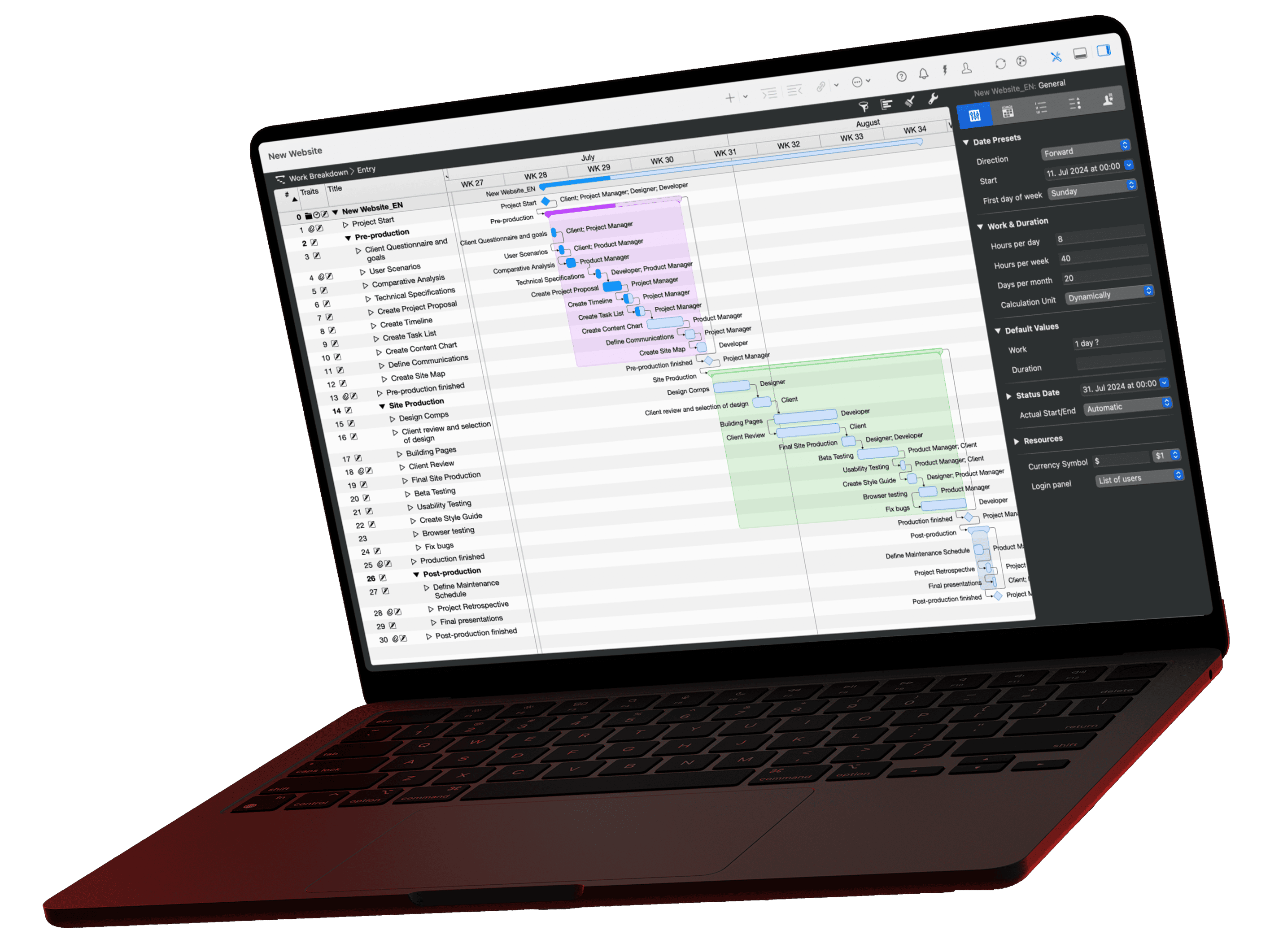
A Gantt chart is a bar chart that shows a project's activities as bars on a timeline: a bar's length is the duration, arrows are dependencies, diamonds are milestones. Henry L. Gantt popularized the chart between 1910 and 1915. Our example schedules a trade show appearance with 7 activities and 2 milestones over 10 weeks.
What Is a Gantt Chart in Project Management?
A Gantt chart is a bar chart for scheduling a project. The vertical axis lists the activities, the horizontal axis is time in days, weeks or months. Each activity appears as a bar from its start to its finish.
A complete Gantt chart contains six elements:
| Element | Shown as | Meaning |
|---|---|---|
| Activity | Bar | Work with start, finish and duration |
| Group | Summary bar above several activities | Phase or work package; its duration follows from the activities inside |
| Milestone | Diamond | Point in time without duration, for example an approval |
| Dependency | Arrow between two bars | Sequence: the successor starts only when the predecessor finishes |
| Critical path | Highlighted chain of bars | Activities without slack; every delay moves the project end |
| Progress | Filled part of the bar, status line | How much is done and where the project stands today |
Other names for the same chart are bar chart, project chart and Gantt timeline. A short definition sits in the glossary under Gantt chart.
Origin: The name goes back to the US engineer Henry L. Gantt, who used and publicized his bar charts for controlling production orders between 1910 and 1915. Forerunners are Joseph Priestley's "Chart of Biography" from 1765 and the harmonogram that the Polish engineer Karol Adamiecki developed in 1896 (source: Wikipedia, Gantt chart).
How Do You Read a Gantt Chart?
You read a Gantt chart from top left to bottom right: the left side holds the outline of activities, and on the right each bar shows when the activity runs. The further right a bar begins, the later the activity starts; the longer it is, the longer it takes.

Five questions unlock any Gantt chart:
- When does the project end? At the end of the last bar or the last diamond.
- Which phases are there? The summary bars of the groups; the software calculates their length from the activities below.
- What depends on what? The arrows. An arrow from the end of one bar to the start of the next means: finish first, then continue.
- What must not slip? The bars on the critical path. Merlin Project shows them in red.
- Where does the project stand? The filled part of a bar is the completed part. If a bar lies left of the status line and is not filled, the activity is behind.
Example: What Does a Gantt Chart for a Project Look Like?
A Gantt chart for a project starts from an activity list with duration and predecessor. Our example: a software company exhibits at a trade show in 8 weeks and follows up on its leads for 2 weeks afterwards. Seven activities, two milestones, all durations in weeks.
| # | Activity | Duration | Predecessor | Week | Slack |
|---|---|---|---|---|---|
| A | Concept and budget | 2 weeks | none | 1 to 2 | 0 |
| M1 | Concept approved | Milestone | A | End of week 2 | 0 |
| B | Book the booth space | 1 week | M1 | 3 | 0 |
| C | Design and build the booth | 4 weeks | B | 4 to 7 | 0 |
| D | Prepare exhibits and demo | 4 weeks | M1 | 3 to 6 | 1 week |
| E | Brochures and invitations | 2 weeks | M1 | 3 to 4 | 3 weeks |
| F | Shipping and booth setup | 1 week | C, D, E | 8 | 0 |
| M2 | Show opens | Milestone | F | End of week 8 | 0 |
| G | Follow up on leads | 2 weeks | M2 | 9 to 10 | 0 |
Gantt chart: trade show appearance in 10 weeks
7 activities, 2 milestones, all dependencies end to start
How to read the result:
- Project duration: The critical path A, B, C, F, G adds up to 2 + 1 + 4 + 1 + 2 = 10 weeks.
- Bottleneck: At 4 weeks, the booth C is the longest activity on the critical path. If the booth builder delivers one week late, the opening moves to week 9 and the show date is missed.
- Slack: The exhibits D finish in week 6, but setup F only starts in week 8. D may take 1 week longer. The brochures E have 3 weeks of slack.
- Milestones: M1 separates planning from execution. B, D and E start in parallel only after approval. M2 is the fixed date the whole plan aligns to.
The same logic applies to construction, software projects and office moves: change a duration on the critical path and the end date moves. Change a duration within the slack and the end date stays put.
How Do You Make a Gantt Chart?
You make a Gantt chart in seven steps: list the activities, estimate durations, set dependencies, mark milestones, group activities, check the critical path and keep recording progress.
- List the activities: Derive them from the work breakdown structure. An activity is work with a clear result, for example "Book the booth space".
- Estimate durations: Ask the people who will do the work. Enter the duration, not start and finish dates.
- Set dependencies: Decide what each activity waits for. The most common type is end to start: B begins when A ends. The article on lead and lag shows how to plan overlaps and waiting times.
- Mark milestones: Place milestones at approvals, phase ends and fixed dates. The example has two. The article Milestones in project management explains when a milestone makes sense.
- Group: Combine related activities into phases. The group shows the phase's start, finish and duration as a summary bar.
- Check the critical path: The activities without slack determine the project end. If the end date misses the target, shorten activities on this path or let them overlap; see crashing and fast tracking.
- Record progress: A Gantt chart is only as good as its last update. Enter completed work and actual dates every week and compare them with the baseline.
Tip: Set fixed dates only where they really are fixed, usually at milestones. All other dates follow from duration and dependency. When an activity slips, the software recalculates the rest of the plan.
Instead of giving each activity a start and end date, only selected activities (usually milestones) in the project are given a date. If they absolutely must fall on a specific date, they can even be fixed.
Kathrin Lamm, certified Merlin Project trainer
How Do You Create a Gantt Chart in Merlin Project?
In Merlin Project, you create a Gantt chart by adding activities with durations in the Work Breakdown view and linking them. The Gantt chart next to the table draws bars, arrows and diamonds automatically and recalculates the dates after every change.
- Create a project: Choose File > New…, then Empty Document and Create. Merlin Project opens the Work Breakdown view.
- Enter activities: Type the first activity in the empty row and add each further one with Cmd+N.
- Enter the duration: Open the Inspector with F1 and enter the Duration on the Plan tab, for example "4w" for four weeks.
- Group: Indent activities under a phase with Ctrl+Cmd+→. The group calculates its own duration.
- Insert milestones: Insert > Milestone (Alt+Cmd+M). Merlin Project draws the milestone as a diamond.
- Link: Select predecessor and successor and choose Structure > Link > End to Start (Ctrl+Cmd+L). Alternatively, hold the Alt (Option) key and drag from one bar to the next in the Gantt chart.
- Show the critical path: View > Show Critical Path turns the chain without slack red. The column Expected Total Slack shows the slack of every activity.
For day-to-day control, switch the project view: Progress colors the bars by how well each activity is on schedule, Milestones shows only the milestones, and Plan/Actual Comparison (Time) compares planned and expected dates. The lesson Adding Context and Logic covers all dependency types in detail.
Template: Phases with Gantt
The Phases with Gantt template splits the window: the phases as cards with start, finish and completion at the top, the Work Breakdown with its Gantt chart below. Style rules give similar activities the same color. Download the file and replace the activities with your own.
 Open the template
In the Merlin Project Work Breakdown, you can also show the same activities as a PERT chart or a Kanban board. You maintain the data once.
When Should You Use a Gantt Chart, and When Not?
A Gantt chart suits projects with a fixed end date, known work steps and many dependencies, for example construction, events, product launches or office moves. For work whose scope changes every week, a Kanban board fits better.
| Chart | Shows mainly | Suited for |
|---|---|---|
| Gantt chart | Dates and durations on a timeline | Scheduling, fixed dates, progress tracking |
| PERT chart | Logic of dependencies, uncertain durations | Finding a reliable date before the project starts |
| Kanban board | Flow of work by status | Ongoing work with changing priorities |
Strengths:
- Dates, durations and sequence sit on one page; sponsors understand the plan without an introduction.
- The critical path shows which activities need close monitoring.
- With a baseline and a status line you see a delay before it reaches the end date.
Limits:
- Beyond a few hundred rows the chart loses its overview. Groups and collapsed phases keep it readable.
- A Gantt chart shows no uncertainty. A 4-week duration looks equally certain whether it rests on experience or on a guess. A Monte Carlo simulation closes that gap.
- Without maintenance the plan goes stale within weeks.
Many teams combine both: phases and milestones in the Gantt chart, the work inside a phase on the Kanban board. The article on hybrid project management describes this approach. The guide to the waterfall model explains the classic phase sequence.
What Should Gantt Chart Software Do?
Gantt chart software pays off as soon as a plan has dependencies: it moves every successor when an activity slips. Excel does not have a predefined Gantt chart type; Microsoft describes a customized stacked bar chart as a workaround (source: Microsoft Support, Gantt chart in Excel). Such a chart does not calculate dependencies: when you move one activity, you move every successor by hand.
Check these seven points:
- Automatic scheduling: Does the software move successors when a duration changes?
- Dependency types: Besides end to start, does it offer start to start, end to end, and lead or lag?
- Critical path and slack: Does it show both without manual work?
- Plan versus actual: Can you save a baseline and compare the actual status against it?
- Resources: Does it notice when a person is booked twice in the same week?
- More views: Network diagram, Kanban board or mind map on the same data?
- Exchange: Does it open and save Microsoft Project and Excel files? Merlin Project lists its formats under collaboration and import/export.
Practical Tips
- Group instead of scrolling: An event plan, for example, splits into venue and logistics, guests, marketing, program and follow-up. Collapsed, the chart shows five summary bars.
- Use milestones sparingly: If every step becomes a milestone, none stands out.
- Let the team estimate: The people doing the work know the duration better than the project manager.
- Update weekly: An outdated plan does more harm than none, because everyone trusts it.
- Condense for the board: Show stakeholders only phases and milestones. The details stay in the working plan.
When I create a project plan, I set milestones at least at the top level between the phases. That way I always have a status for every board meeting without getting lost in the details.
Frank Blome, Managing Director of ProjectWizards
If you don't want to start a plan from scratch, the checklist with 100 tasks for every project lists the typical activities.
Conclusion
A Gantt chart turns an activity list with durations and dependencies into a schedule. It delivers three results: the project end, the critical path and the slack of every other activity. In the example, that is 10 weeks, the chain A, B, C, F, G and 1 to 3 weeks of slack for exhibits and brochures. Plan with durations instead of dates, and the software recalculates every change for you.
If you have any questions about this blog article or would like to discuss it, we look forward to your contribution in our forum.
Frequently asked questions
What is a Gantt chart?
A Gantt chart is a bar chart for project scheduling. It shows a project's activities as bars on a timeline, with dependencies as arrows and milestones as diamonds. The length of a bar equals the duration of the activity.
How do I make a Gantt chart?
In seven steps: list the activities, estimate durations, set dependencies, mark milestones, group activities into phases, check the critical path and keep recording progress. Project software draws the bars from duration and dependency by itself.
What is a Gantt chart used for in project management?
For scheduling and tracking: it shows when each activity runs, which activities depend on each other, which ones determine the end date and how far the work has progressed. It suits projects with a fixed end date and many dependencies, such as construction, events and product launches.
How are milestones shown in a Gantt chart?
As diamonds. A milestone has no duration and marks a point in time, for example an approval or a fixed date. In Merlin Project you add one with Insert > Milestone (Alt+Cmd+M).
What is the critical path in a Gantt chart?
The chain of activities without slack. If one of them is delayed, the project end moves. In the example in this guide, that is 5 of 7 activities with 10 weeks in total. In Merlin Project, View > Show Critical Path turns these bars red.
Can I make a Gantt chart in Excel?
Only as a workaround. Excel does not have a predefined Gantt chart type; Microsoft describes a customized stacked bar chart. Dependencies, the critical path and automatic rescheduling are then missing. For plans with dependencies, project software such as Merlin Project is faster.