
Architecture & Construction
Excel construction schedules cost you weeks. Not minutes.
Construction projects run on dependencies. Shell before fit-out, screed before tiles. A spreadsheet can't model that. Merlin Project can, with automatic scheduling that reacts to every change instantly.
Sound familiar?
Typical challenges in architecture and construction projects
Construction Schedules in Excel
Every change means hours of manual adjustments. Dependencies between trades? Non-existent. You're maintaining spreadsheets instead of managing projects.
Trades Without Dependencies
When the screed layer arrives three weeks late, everything shifts, but your spreadsheet doesn't know that. You recalculate manually and hope you didn't miss anything.
No Access at the Job Site
Cloud tools need internet. You don't have it on-site. So you print PDFs that are already outdated by the next site meeting.
PDF Export Nightmare
The client wants a construction schedule as PDF. Your tool exports pixelated screenshots instead of print-ready plans in A3 or larger.
How Merlin Project solves this

Automatic Scheduling
Link tasks with dependencies, for example „Screed → Tiles" or „Plaster → Painter". When one trade shifts, Merlin Project updates all downstream dates automatically. No manual recalculation, no forgotten dependencies.
Coordinate Trades and Open Items
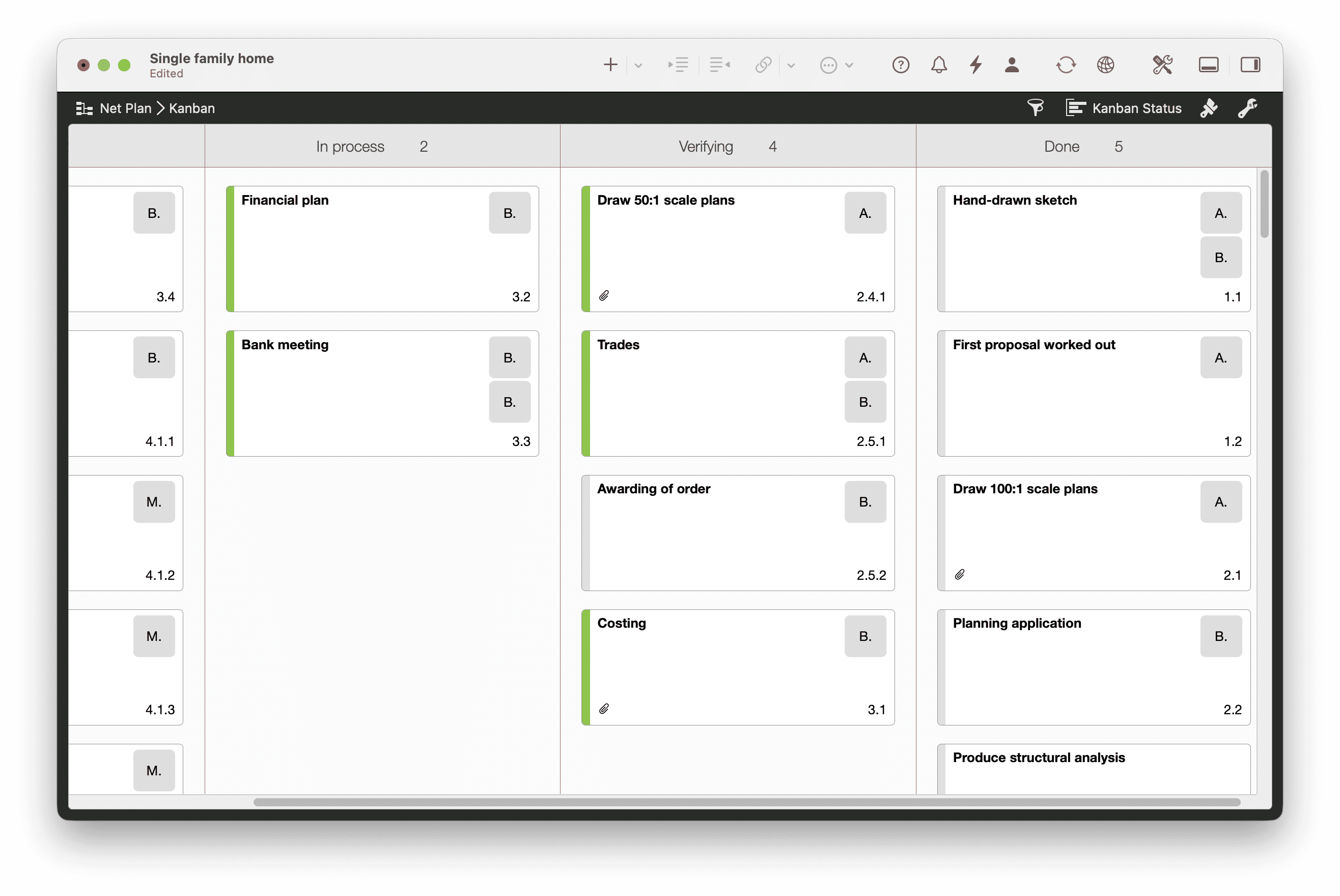
The construction schedule controls the timeline, the Kanban board the current state. Open defects, client approvals and items from the last site meeting are visible to everyone at a glance, in columns like Open, In Progress, Review, Done. Every task appears either as a bar in the Gantt or as a card on the Kanban board, on Mac and iPad.
Comments Right on the Task
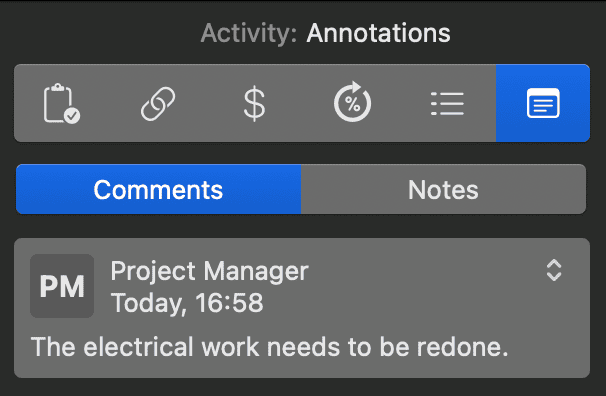
In Merlin Project you write comments as a conversation thread directly on the task, instead of losing them in emails and chats. Every comment is tied to a person, so it stays clear who noted what and when. The notifications window bundles new comments and changes, so your team sees at once what to do.

Full Access Without Internet
Merlin Project works entirely locally on Mac and iPad. On-site you have full access, even without mobile coverage. Once you're back online, MagicSync reconciles your changes via iCloud Drive or Dropbox automatically, even if someone has been working on the office Mac in parallel.
Responsibilities in the Org Chart
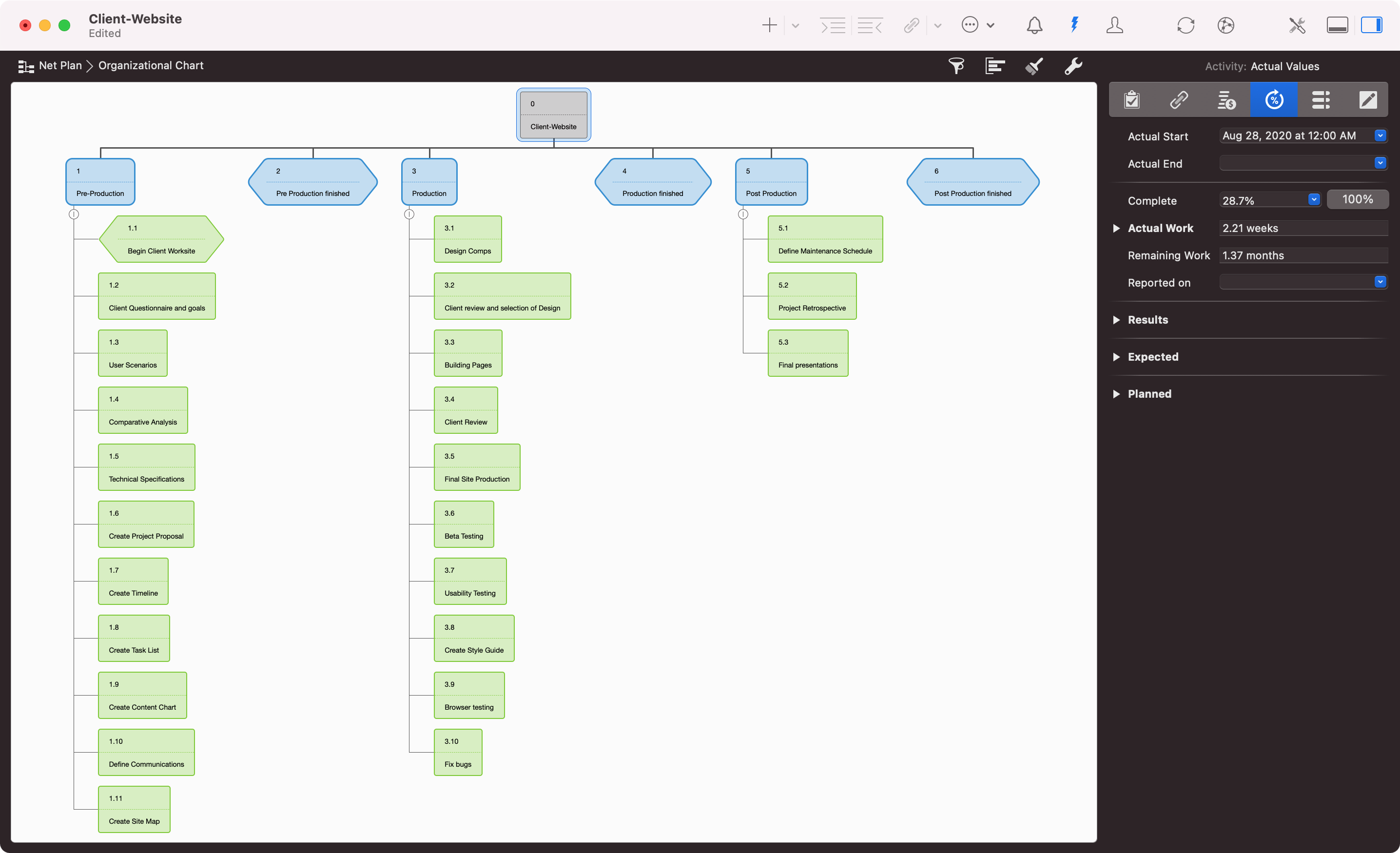
Unclear interfaces between architect, structural and building services engineering are a constant theme. Merlin Project shows your project as an org chart at the press of a button, from the organizational structure down to the individual work package. You set up participants as users with their own access rights, from read to read and write, so everyone sees the same structure.
Resources and Fees at a Glance
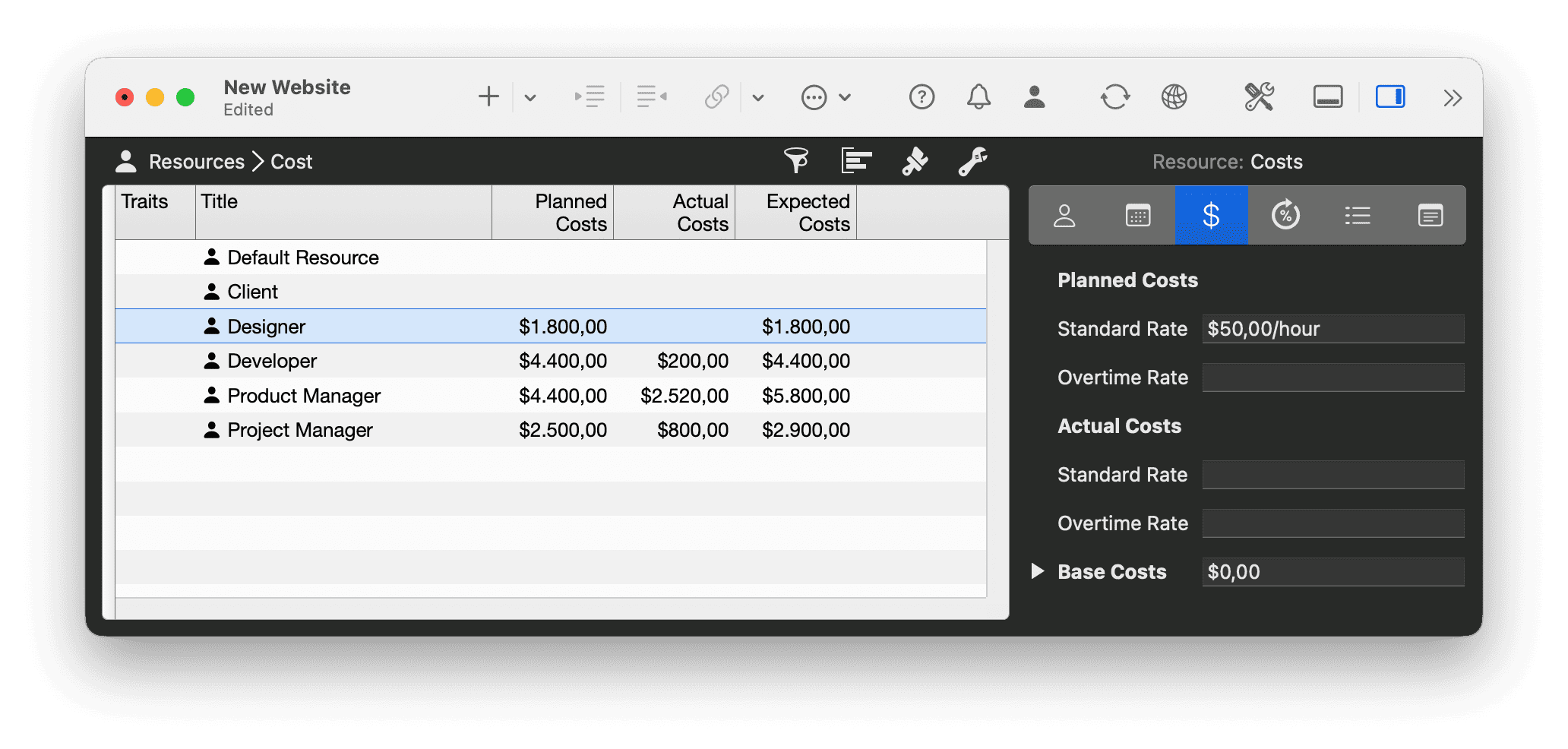
A site manager rarely runs just one site. Merlin Project shows utilization across projects. You spot three weeks ahead that someone is double-booked in a given week, instead of noticing only when the bottleneck hits. Plan and actual costs are kept directly on the task, from the fee budget to the work completed.

Print-Ready Construction Schedules
Export Gantt charts as high-resolution PDFs in any size: A3, A1 or larger. With fonts, colors and your company logo. Ready for plotting, no post-processing needed.
Document Changes and Approvals
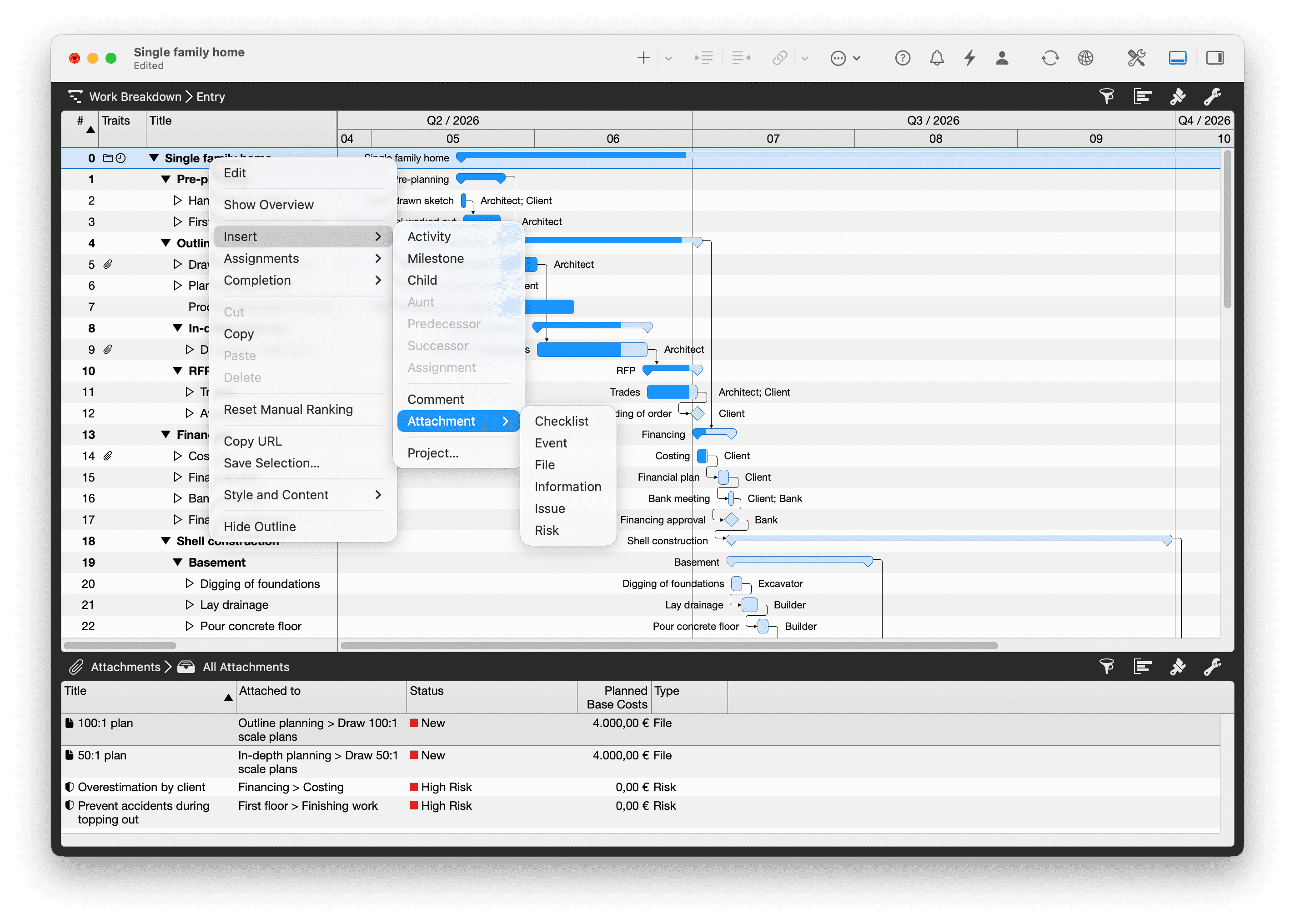
One of the most expensive sentences on a construction site is “I never approved that.” In Merlin Project, plans, photos, minutes, defects and risks hang directly on the task where they occur. You record every client change request with a date and prove its impact on schedule and cost, the basis for clean fee supplements.
No Training Required
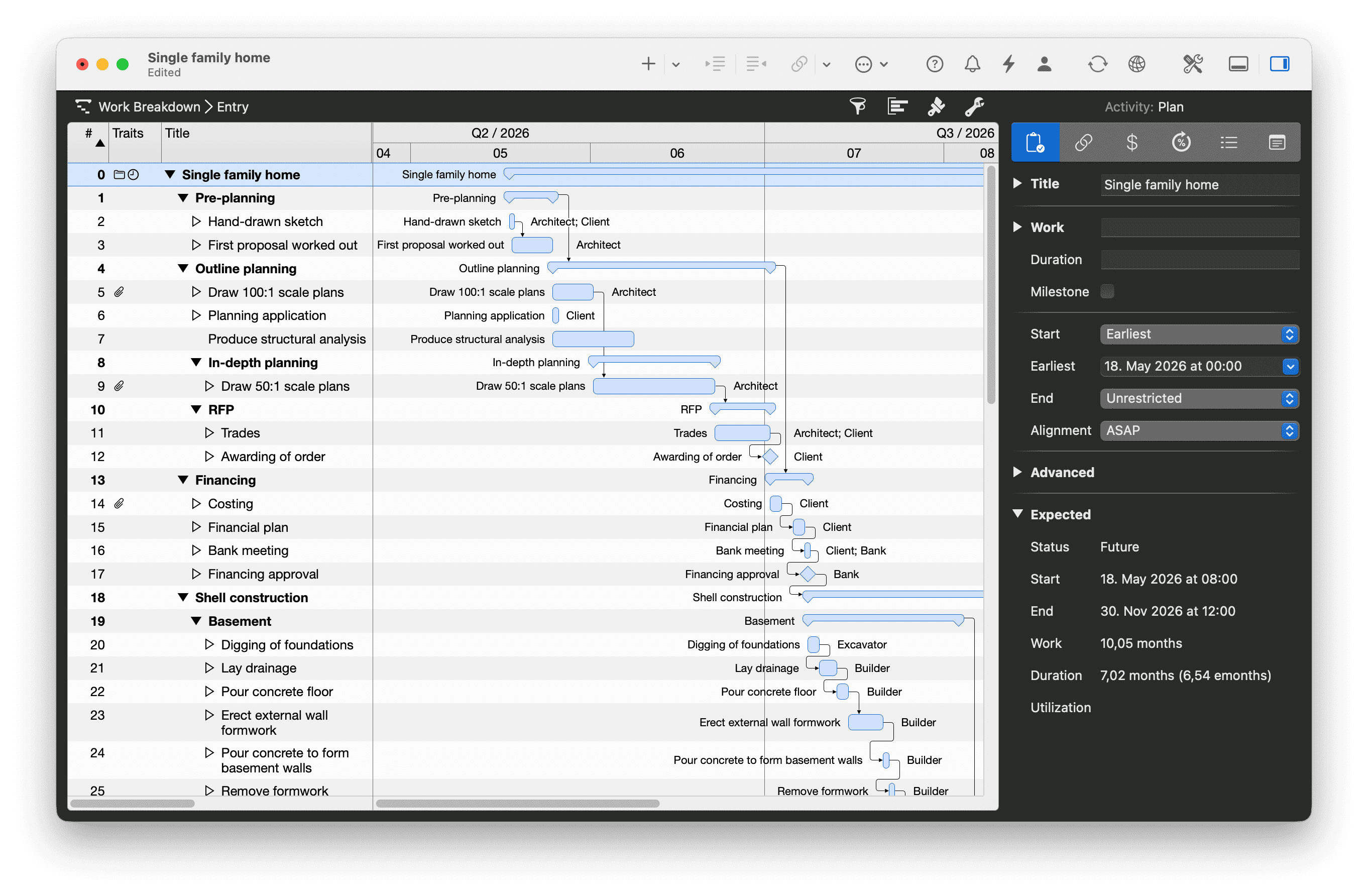
Start with a simple task list. No mandatory fields, no PM certification. Senior architects who used to plan with pen and construction-schedule calendar are up and running in an hour. Junior architects of course too. From that list, step by step, a complete work breakdown structure takes shape and grows as your project gets more complex.
Key features for construction projects
Gantt Chart
Professional construction schedules with tasks, milestones and dependencies.
Resource Planning
Assign personnel, equipment and subcontractors. Track workload at a glance.
File Attachments
Attach plans, photos and cost estimates directly to tasks.
MagicSync
Patented synchronization via iCloud or Dropbox, no conflict files.
iPad App
Take your construction schedule on-site and update it on the spot.
MS Project Import/Export
Open and export Microsoft Project via MS Project XML, for seamless collaboration with partners.
Project Templates
Shell, fit-out, MEP: customize ready-made templates instantly, or save your own from existing projects.
Privacy by Design
Your project data stays on your machine or in your own cloud storage. GDPR-compliant with no data processing agreement required.
What architects say
Architecture is always a team effort. The individual and versatile possibilities of Merlin Project enable us to react flexibly to changes throughout the entire project period and to compensate for delays through quick adjustments.
I do everything in the same file and everything is somehow linked to everything else, so even at 1,500 tasks I see every impact straight away. [...] I use Merlin almost daily, over a period of about 3 years. I value the program highly.
Frequently Asked Questions
Can I import projects from partner firms using MS Project?
Yes. Merlin Project opens and exports Microsoft Project via MS Project XML, with no conversion tools and no data loss. Collaborate seamlessly with partners who use MS Project.
Does Merlin work on the construction site without internet?
Yes. Merlin Project works completely offline on Mac and iPad. On the construction site, you have full access, even without mobile coverage. Once you're back online, MagicSync syncs your changes automatically.
How do I export construction schedules in A3 or A1 for the client?
Export Gantt charts as high-resolution PDFs in any size: A3, A1 or larger. With fonts, colors and your company logo. Ready to plot, no post-processing needed.
Can multiple project managers work on the same plan simultaneously?
Yes. With MagicSync, you synchronize project files via iCloud or Dropbox between multiple devices and users, patented and without conflict files.
Are there templates for structural work, finishing and building services?
Yes. In the templates section you'll find ready-made project plans for construction projects that you can customize immediately. Alternatively, create your own templates from existing projects.
Where is my project data stored? Is this GDPR-compliant?
Your project data lives on your Mac, iPad, or in your own cloud storage (iCloud Drive or Dropbox). ProjectWizards never sees the contents. Since no data is transferred to our servers, you don't need a data processing agreement with ProjectWizards for Merlin Project itself. For the cloud service you use, observe its own DPA terms. A key point for procurement and compliance reviews.
How long does it take to onboard a partner who's used to spreadsheets?
You can start with a simple task list, no mandatory fields, no configuration. The first construction phase is mapped out in under an hour. Advanced functions like resource planning and critical path are one click away, but never in the way.
How do I document the client's change requests and approvals in a traceable way?
In Merlin Project you attach plans, photos, minutes, defects and risks directly to the relevant task. You record every change request with a date and immediately see its impact on schedule and cost. This avoids the expensive “I never approved that” and gives you a clean basis for fee supplements.
Can I coordinate site managers and specialist planners across multiple sites?
Yes. Merlin Project shows resource utilization across projects. You spot weeks ahead when a site manager is scheduled on several sites at once and can rebook before anyone has to wait. Plan and actual costs are kept directly on the task, from the fee budget to the work completed.
