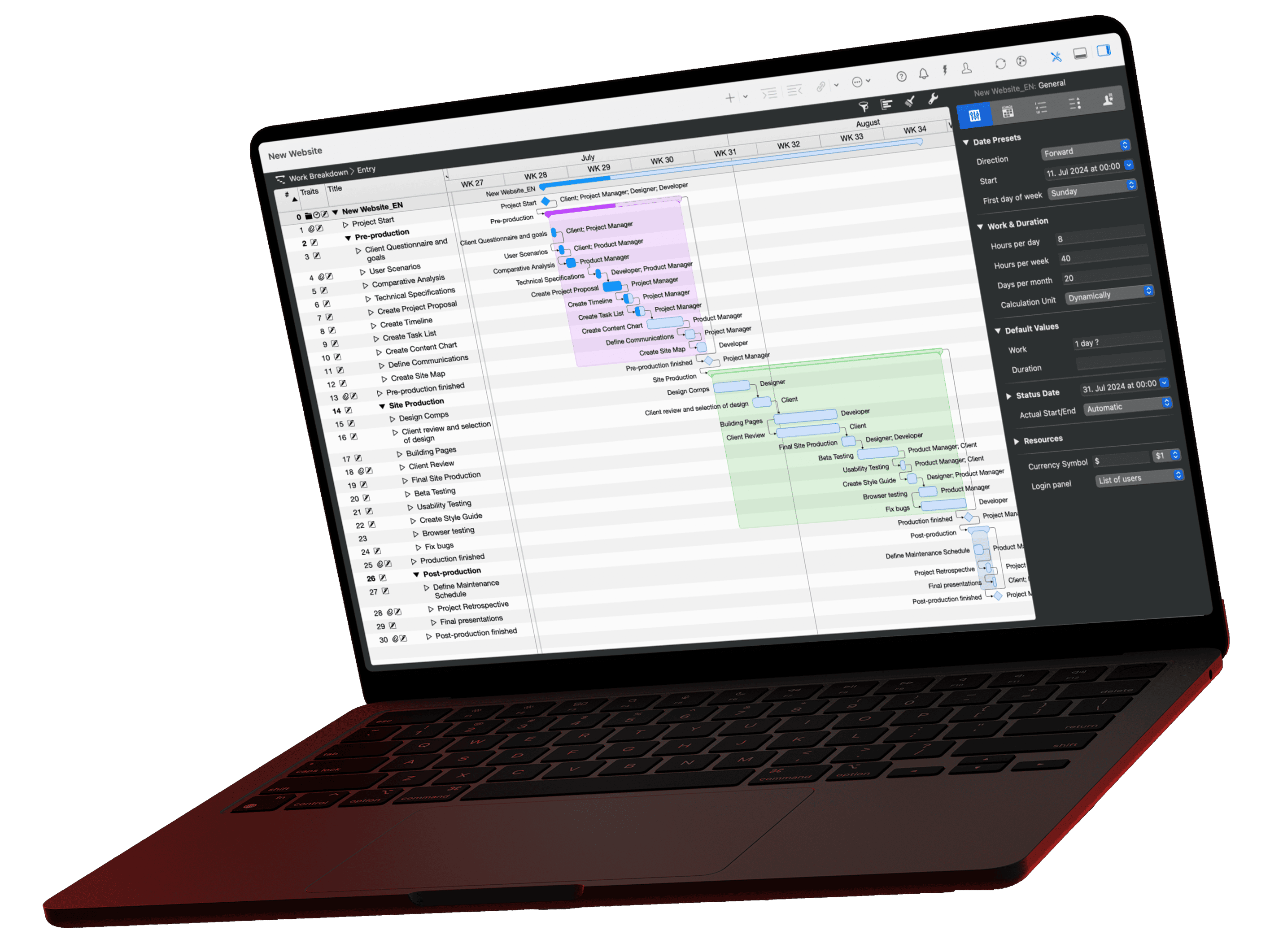
Merlin Project Express
Run projects that actually ship.
For occasional projects. Plan what needs planning. On the Mac App Store or via Setapp.
Project planning that feels familiar from day one
A Mac app for the home project, the tour plan or the thesis. No multi-team, multi-quarter tracking nobody maintains.
Gantt Chart
Break your project down into tasks, milestones and dependencies on a clear timeline. Drag and drop elements into the right structure. Merlin Project Express recalculates start and end dates automatically.
Resources & costs
Drag people straight from your Mac Contacts into a project. Merlin Project Express calculates costs from hourly rates and budgets automatically: per task, per resource or for the whole project.
Attachments
Attach every piece of information directly to a task: files, checklists, events, information items, issues and risks. Drag and drop them in, with version history for changing documents.
What our customers say
Real voices from the App Store, Capterra and direct customer references.
The coolest thing since sliced bread
I searched a long time for a decent project management app on macOS, and eventually I found Merlin Project. This is not only a PM app, it is also a mind mapping app, a reporting app and much more! All views are configurable in any detail. It offers the widest range of PM functions which are needed and used in actual management. And if you have a...
Gupta Consulting
Merlin Project is one of the very few products that I recommend. Merlin Project makes project plan creation a breeze.
Excellent Scheduling Program!
I've worked with a number of scheduling programs and this program is by far the most user friendly and easy to work with. I highly recommend to anyone looking to develop detaile...
My Go-To App for Project Planning
I've been using Merlin PE off and on for several years now and find I always turn to it when I have a project which requires a certain level of planning, management and reporting. Currently using it for an Innovate UK funded business we set up a few months ago. It's easy to get to grips with and helps simplify project management - I'd like to ...
Best of Class
Merlin is indeed magical. The ProjectWizards have been supporting and improving Merlin for years. This is not a side project or one of many focuses; this is their main focus. ...
best project mgmt tool out there
great for viewing MS project files in understandabvle gant view
Leave a review on the Mac App Store
Share your experience with Merlin Project Express on the Mac App Store.
Pricing overview
Download the trial and try Merlin Project Express free for 14 days, then purchase once on the Mac App Store.

Merlin Project for iPad
You travel a lot and plan on the iPad?
For the mobile project manager on iPad, Apple Vision Pro or iPhone.

Merlin Project for Mac
You work on a Mac and plan professionally?
Professional project management for individual users and teams on the Mac.

Merlin Project Express
You plan personal or small projects?
The small version for the private project manager on the Mac.

Frequently asked questions
The most common questions about switching, data privacy, and purchasing, answered briefly.
Can I import existing Microsoft Project files?
Yes. Merlin Project imports and exports Microsoft Project via MS Project XML. Additionally, MPX and formats like MindManager, FreeMind, OmniPlan, OPML, CSV, iCalendar are supported.
Do I need a server or cloud platform?
No. Merlin Project runs entirely locally on your Mac or iPad. For team collaboration the app syncs via iCloud Drive, Dropbox or, on the Mac, practically any common cloud service. You don't need your own server.
At its heart is MagicSync, our patented sync technology. It reconciles changes from multiple users and devices without losing data or producing annoying conflict files, even when several people edit simultaneously.
Does Merlin Project work without an internet connection?
Yes, completely. All features are available offline. As soon as you're back online, Merlin Project syncs your changes automatically, guaranteed without conflict files. Ideal for construction sites, on-site meetings or travel.
Where is my project data stored?
Exclusively on your own devices and, if you enable it, in your personal cloud storage. Merlin Project is not a cloud application and not a SaaS. There is no ProjectWizards server that processes your project data. You alone decide where your data lives.
This makes the app fully GDPR-compliant, a key difference compared to purely cloud-based PM tools. You don't need a data processing agreement (DPA).
What happens after the 14-day trial?
You can try Merlin Project Express for 14 days without any restrictions. Once the trial ends, you keep read access to all project files you created; edits, export and printing are not available in this mode.
To keep working, choose a monthly or annual subscription as an in-app purchase from the Mac App Store. Setapp subscribers can use Merlin Project Express directly through their Setapp plan.
I already bought Merlin Project and want to download the software again.
Open our (link: merlin-project/thank-you text: download page) and the download starts automatically. Your subscription stays valid; simply sign in with it after installing. If you bought through the App Store or Setapp, download the app there again.