If you work on a Mac as an architect or engineer, you need the right tools. Here are our favorites for everyday office work: from CAD and visualization to tendering and project planning. A compact selection that gets you up and running quickly.
Apple devices don't just impress with their design – they are also reliable and fast. Many architects and engineers value exactly that in their daily work. Are you one of them? Then the following apps are just right for you and your office.
Apple Creator Studio
On the Mac, Pages, Numbers and Keynote replace Word, Excel and PowerPoint. Freeform adds a digital whiteboard for ideas, sketches and mood boards. All four apps remain free. With an Apple Creator Studio subscription you get even more: premium templates, a library of royalty-free photos and graphics, and AI features in Keynote, Pages, Numbers and Freeform. On top of that come the pro apps Final Cut Pro, Logic Pro, Pixelmator Pro, Motion, Compressor and MainStage. Use them to edit project videos or touch up your visualizations, for example.

Prefer to work with Microsoft Office? Microsoft offers its programs as paid native Mac versions.
ArchiCAD

The name says it all: ArchiCAD is CAD software tailored to architects. You use it to create floor plans, sections, details and everything else that goes with them. For more than 40 years, ArchiCAD has belonged to architects and Macs like the apple to the Apple logo.
Cinema 4D
Want to present your designs photorealistically – as stills or as animations? Then Cinema 4D from Maxon is the right choice. The 3D software runs natively on the Mac, including Apple silicon, and uses Redshift as its default renderer. It lets you design scenes, materials and lighting down to the last detail.
The result: renderings, camera moves, walkthroughs and simulations that win over clients and competition juries.
Tendering software in the browser: Phase0
Good to know: This section is aimed at architects working in Germany. There, tendering, contract awarding and billing (known in German as AVA) must follow German standards such as DIN 276 and GAEB – which is why German architects need specialized AVA software.
Looking for tendering and cost management software for macOS? Unfortunately, there is currently no native Mac solution. The good news: modern tendering software runs in the web browser and therefore works on the Mac without any problems. One example is Phase0. It lets you plan costs according to the German standard DIN 276, prepare cost estimates and track costs throughout the project. Phase0 also offers:
- Creation of bills of quantities with GAEB 90/2000/XML
- Tendering, bid comparison and invoice checking
- AI support when creating bills of quantities
This way, you handle cost estimates, tendering, contract awarding and billing on the Mac – no detour via Windows required.
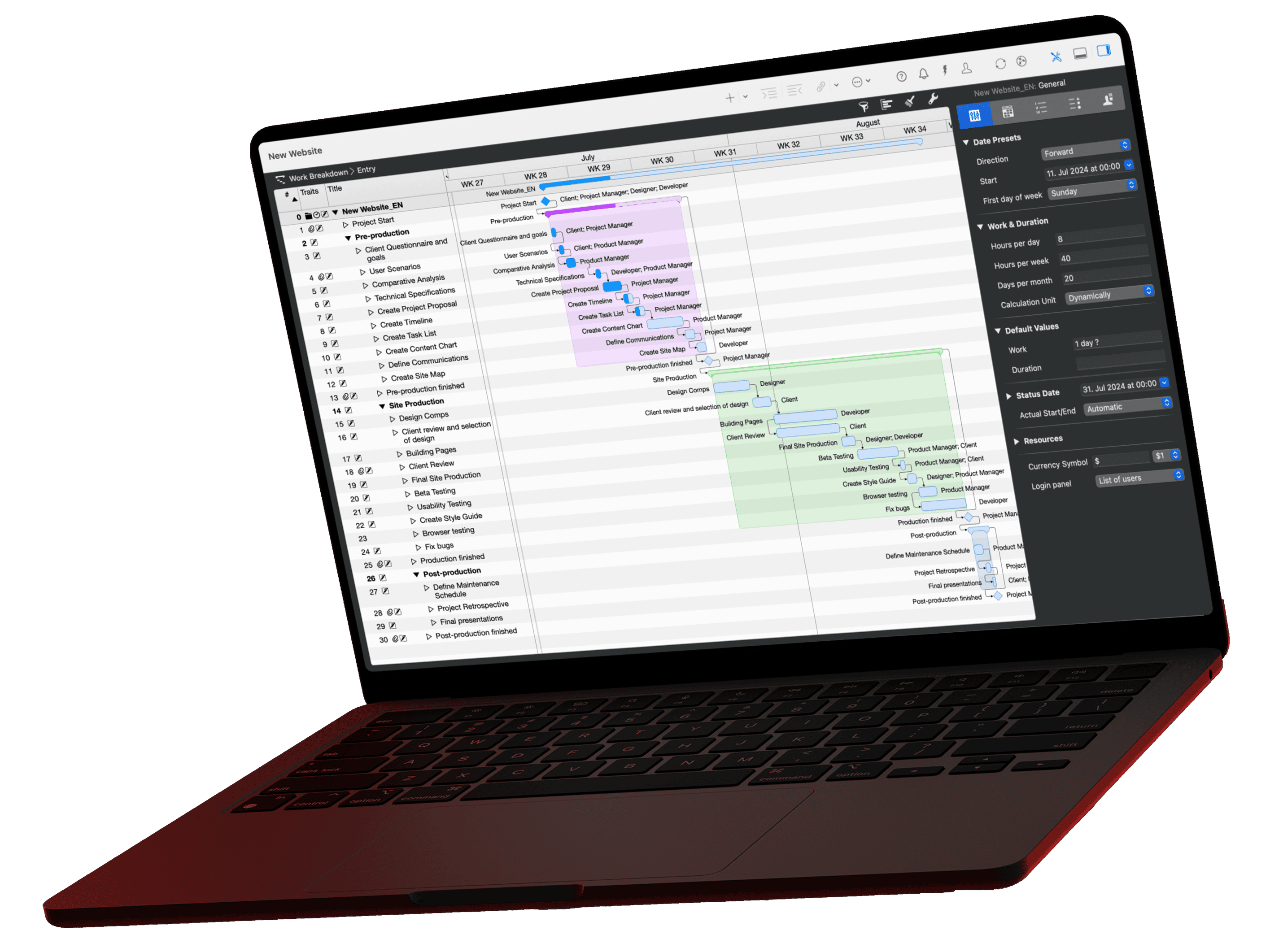
Merlin Project
The project management software for Mac, iPad and iPhone! With Merlin Project you keep your construction schedules – and with them all your building projects – under control. Planning becomes easier and you never lose track.

Whether in the office or on the construction site: with Merlin Project you oversee, document and manage every area of your project – together with your team, too. Microsoft Project for the Mac, only better!
CrossOver
With CrossOver you run Windows programs on the Mac with little effort. That way you can keep using even exotic applications and save yourself a separate Windows installation.
If you have any questions about this blog article or would like to discuss it, we look forward to your contribution in our forum.