
| Capability | Merlin Project (macOS/iOS) | Trello (web/desktop/mobile) |
|---|---|---|
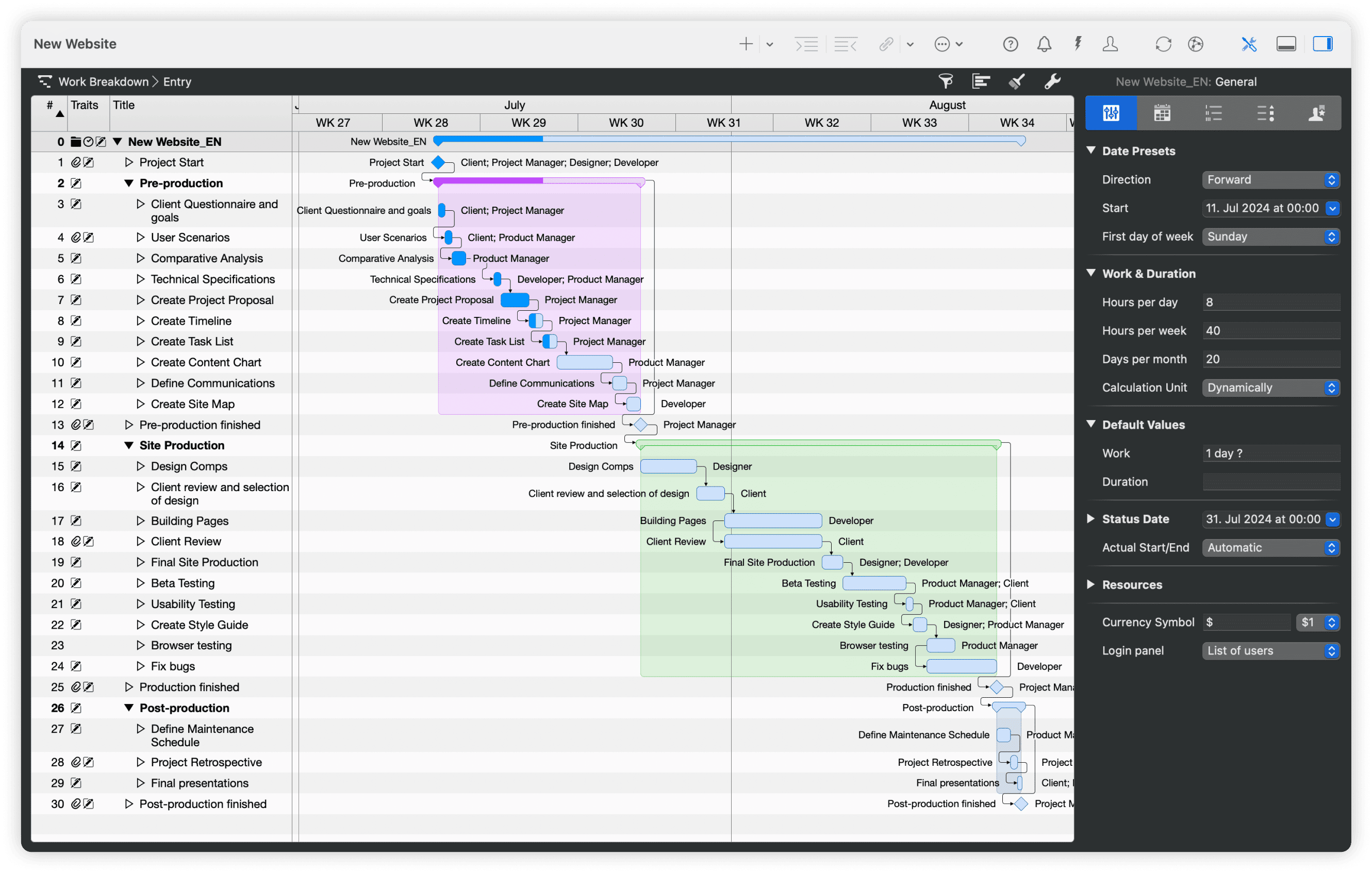
| Project planning & Gantt | Advanced Gantt with critical path, dynamic baselines, constraints | Timeline (Gantt-style) view; no native dependencies, baselines, or critical path, workarounds or Power-Ups required. |
| Resource management | Robust: people/equipment/materials, utilization, multi-project leveling | Assignments & Dashboard charts; no automatic resource leveling (capacity insights via counts/filters, not a leveling engine). |
| Budget & cost tracking | Built-in costs, rates, planned vs. actual reports | Manual/Power-Ups: custom fields, formulas, and third-party Power-Ups for time/budget; not native accounting. |
| Collaboration | File-based sharing; comments, attachments; works offline and online | Real-time web collaboration, comments/@mentions, Butler automations, and many Power-Ups/integrations. |
| Multi-Project Management | Advanced: master/subprojects, shared resource pools, portfolio reports | Workspace views (Table/Calendar) & Dashboard aggregate across boards; not native resource pooling/leveling. |
| Portfolio/large projects | Handles thousands of activities locally; fast on device | Scales for teams, but Trello recommends <1,000 open cards/board (fewer if many attachments/checklists) to avoid slowdowns. |
| Platform | native Mac, iPad, iPhone, Vision Pro | Browser + desktop & mobile apps; offline primarily mobile, desktop/web require internet. |
| Pricing | See price list | See pricing |
| Trial | 30-Days Free Trial | Premium free trial; Free plan available. |
| Best for | PMOs/pro PMs on Apple who need advanced scheduling, resource management & costs tracking functionality | Kanban-centric teams that value simplicity, views, and automations, okay with Power-Ups and process design instead of native PM controls. |
Product Comparisons
Merlin Project vs. Trello
Merlin Project
Project management software on Apple devices
Trello
Web-based task & work management
Quick comparison chart
From boards to comprehensive planning: Your Trello alternative
Planning & Scheduling

Merlin Project: Comprehensive Project Orchestration
Build project structures using advanced work breakdown methods that connect smoothly with powerful Gantt scheduling. Start projects with creative mind mapping sessions that turn ideas into real project plans. Track project progress through smart critical path monitoring and keep projects on track with complete baseline tracking that shows how your original plans compare to actual results. Help teams work efficiently through connected Kanban boards that give workflow flexibility while keeping everything aligned with your schedule.
Trello: Kanban First, Timeline for Light Scheduling
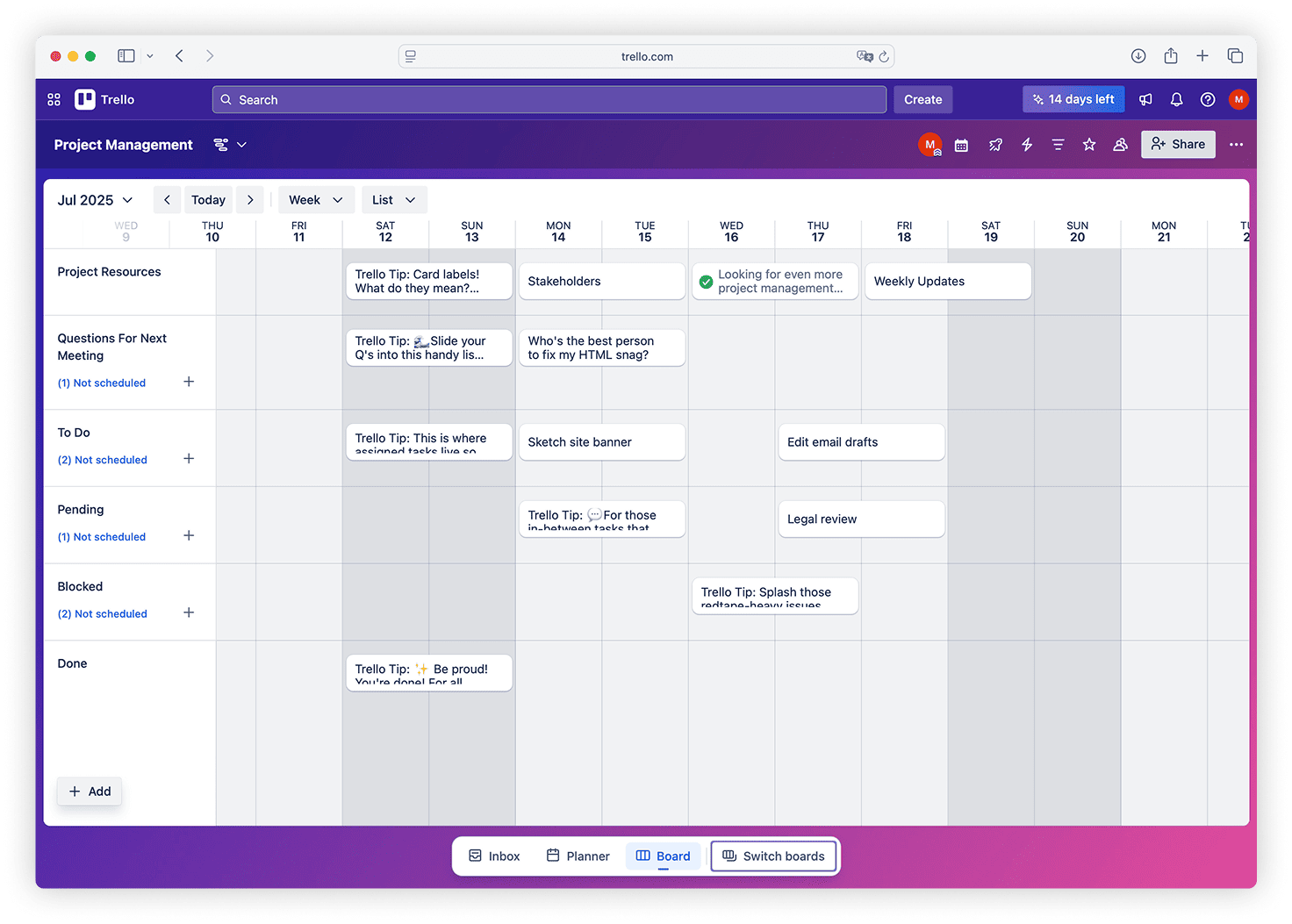
Trello's Timeline gives a Gantt-style overview and is easy to adopt. However, task dependencies aren't native - teams use checklists, linked cards, or Power-Ups to create connections between work items. There's no built-in baseline or critical path for variance analysis. This works well for light scheduling, but complex constraints feel manual and require creative workarounds or third-party add-ons.

Managing Your Team

Merlin Project: Holistic Resource Ecosystem Management
Manage all your resources - people, equipment, external partners, and materials - from one place. The smart system spreads work across multiple projects while keeping costs transparent through automatic rate calculations and usage tracking. It spots potential resource conflicts before they cause problems, so you can move resources around and plan capacity better. The system works with complex setups where outside consultants, specialized resources, and equipment help your projects succeed without everyone needing to use the same software.
Trello: Assignments, Filters and Dashboard Views
You can assign cards to team members and use Dashboard to visualize cards by assignee, due dates, or list - useful for spotting overloads. Accuracy depends on consistent processes like estimates and naming conventions. There's no automatic resource leveling across boards like in desktop project management tools. Success depends on structure with consistent fields and labels, and some teams run into Butler automation quotas when using rules for workload flows.

Tracking Money

Merlin Project: Integrated Financial Control Systems
Set up complete financial control through budget structures that cover entire project groups, individual programs, and specific work packages. The automatic expense tracking system monitors spending against approved budgets while creating reports that spot cost trends and potential budget problems early. Resource costs build up automatically based on time tracking and your set rates, while separate costs for materials, equipment, and outside services create complete financial pictures. Clear financial reports give stakeholders visibility into how projects are performing financially, explain any differences, and predict future costs for smart decision-making.
Trello: Power-Ups and Custom Fields for Budget Tracking
Trello relies on custom fields, Power-Ups, and dashboards to model budgets and track time. You can use time-tracking Power-Ups and create budget templates through custom fields. It's flexible but not native cost accounting like dedicated project management tools. Success requires templates, governance, and consistent team processes to maintain accurate financial tracking across projects.

Multi-Project Management
Merlin Project: Advanced Portfolio Architecture
Build complex program setups through smart multi-project integration that connects related project work. The master project setup provides central control while letting individual projects stay flexible, making information and dependencies flow smoothly across complex project networks. Shared resource pools optimize everything by preventing conflicts and making the best use of resources across your entire program. Complete portfolio reports show how projects depend on each other, resource limits, and performance numbers, giving program leaders the insights they need to optimize resources and reduce risks.
Trello: Workspaces, Table and Calendar Views
Trello manages multiple projects through separate boards. Workspace views (Table/Calendar) aggregate cards across boards and can be saved with filters - useful for PMO overviews. However, this isn't the same as native cross-project resource pooling or leveling. You get good visibility into what's happening across your portfolio, but coordination requires manual oversight rather than built-in portfolio management features.
Working Together
Merlin Project works by sharing files. Team members save the same project file on cloud services like iCloud or Dropbox. The program prevents problems when multiple people edit at once. You can add comments and attach files to activities. People who don't use Merlin can view projects through web pages.
Trello is built for real-time collaboration with comments, @mentions, attachments, and Butler automations that handle repetitive steps without code. Power-Ups connect to tools like Google Drive and Slack. It's fast to adopt, though governance becomes important at scale.
Trade-offs of web vs desktop
Web tools centralize access and automate workflows but require connectivity and vendor infrastructure. Desktop keeps data local and performs consistently offline, but requires a sharing strategy. Choose based on compliance, uptime needs, and team composition.
Trello note: Desktop and web require an internet connection; offline is primarily a mobile-app capability. If offline execution on laptops is essential, plan accordingly.
Performance & Scale
Merlin Project: Local files handle thousands of activities smoothly; no round-trips to a server.
Trello: Collaboration at team scale works fine, but large boards slow down. Trello suggests under 1,000 open cards per board (and under 500 if heavy attachments/checklists). Users also report lag on very large or aged boards. Structure and regular archiving help maintain performance.
Understanding Platform Choices
Merlin Project: Mac Ecosystem by Design
Merlin Project works exclusively on Apple devices: Mac, iPad, iPhone and Vision Pro. This is an intentional design choice that allows deep integration into a system that simply works. Teams already using Mac computers get software that feels natural and works seamlessly with their existing workflow.
Best for: Teams already committed to Apple's ecosystem who value performance, offline capability, and data control.
Trello: Browser-First with Apps
Trello runs in any modern web browser, plus desktop and mobile apps. The desktop app is a wrapper and does not support offline syncing.
Best for: Kanban-centric, mixed-platform teams who prioritize simplicity, views, and automations over deep, native scheduling.
