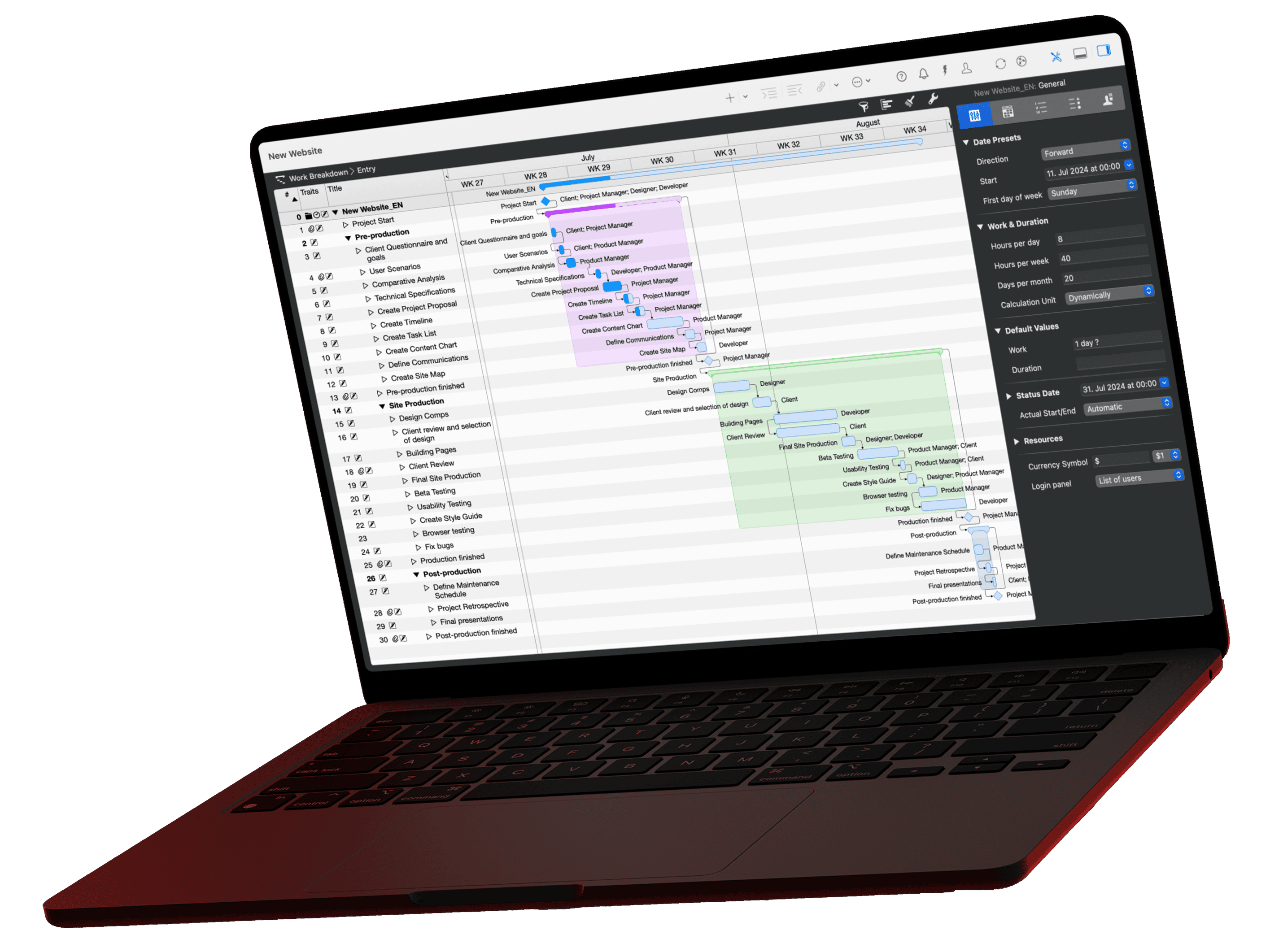
For a status report, most people go through the plan line by line, copy out dates and turn them into a text that is already out of date the next day. Yet everything that belongs in this report is already in the project. With the MCP server in Merlin Project, Claude reads the plan directly and writes the report. In the video, the query runs uncut. Here you will find both prompts, the complete report from the video as a sample, instructions on adapting the prompt to your own report template, and a routine for checking the result.
The video for this article
The video (in German) is embedded in the German version of this article.
What belongs in a status report?
A status report is not a log of every task. It answers the questions the recipient asks, in this order:
- Where do we stand? Overall status as a traffic light and progress in percent.
- What has been achieved? Milestones completed since the last report.
- What is stuck? Delayed tasks and their impact on the end date.
- What comes next? The next dates or milestones.
Two more details decide the quality of the report: the recipient, because management reads differently than the team, and the reporting date.
Why the reporting date belongs in the prompt
Without a reporting date, Claude calculates with today's date. If the plan hasn't been updated for a few days, much of it then looks overdue that in fact just hasn't been reported back yet. Merlin Project keeps the project's status date for exactly this purpose. If you write in the prompt that this date applies, Claude calculates delays and upcoming dates from the same point as Merlin.
If you don't maintain the status date, state the reporting date directly: "The reporting date is 6 July 2026."
The prompt for management
Prompt: How do I create a status report for management?
Create a status report for management from the current project. The reporting date is the project's status date. Structure: overall status with traffic light and progress in percent, milestones reached, delayed tasks and their impact on the end date, the next three dates. Half a page at most, factual tone, no assumptions about data that is not in the plan.Open this prompt in the library ›
The last sentence matters: "no assumptions about data that is not in the plan". It keeps Claude from filling in missing information with plausible-sounding sentences.
The result: the report from the video
This is what the report looked like for the sample project, a product launch with five phases, twenty tasks and eight resources. Your answer will be worded differently; the structure stays the same.
Status report Product Launch Phoenix · Reporting date 6 July 2026
Overall status: Yellow · Progress around 60 %
The start and concept phases are complete; product development is done except for the last day of finalization. The launch event on 23 July 2026 is not at risk according to the current plan. Yellow because of a bottleneck in marketing from 15 July and the lack of buffer between website, ad campaign and soft launch.
Milestones reached
- Project kickoff (18 May)
- Concept approval (10 June)
Delays and impact
- Develop prototype: finished 4 working days late (26 June instead of 22 June), actual work 10.8 instead of 8 person-days (+35 %). The user tests partly ran in parallel, so the project end has not moved.
- Create market briefing: work +20 %, no effect on dates.
Next dates
- 14 July landing page & website complete
- 21 July soft launch
- 23 July launch event
Note the reasoning for yellow: the prototype delay has already been absorbed; the risk lies in the coming two weeks. This is exactly the assessment that takes the most time by hand, because it requires looking at dates, dependencies and resources together.
The version for the project team
The team cares less about the traffic light than about who does what in the next two weeks and who is waiting for whom. Ask this follow-up question in the same chat:
Prompt: How do I turn the status report into a team update?
Write the same status as an update for the project team: per resource, the tasks of the two weeks from the reporting date, and open dependencies someone is waiting on. As a list, without traffic light.Open this prompt in the library ›
For the sample project, the result is:
Team update from 6 July 2026 (two weeks)
Development
- Finalize product: last day on 6 July
- Landing page & website: 7–14 July
Marketing
- Content production: 15–21 July
- Set up ad campaigns: 15–20 July (parallel to content production)
PR & communication
- Press kit & fact sheet: 15–20 July
Project management, sales
- no tasks in these two weeks; soft launch on 21 July, sales training from 22 July
Open dependencies
- Content, ads and press kit are waiting for the website (14 July).
- Sales training is waiting for content production.
Because Claude has already read the project data in the chat, the second version comes without a new query. If the plan changes, simply ask both questions again.
Adapting the prompt to your report template
Most companies have a fixed report structure. Transfer it into the prompt, section by section:
| Section of your template | How to phrase it in the prompt |
|---|---|
| Management summary | "Start with three sentences of overall assessment." |
| Dates | "List of milestones with planned and expected date." |
| Budget | "Planned versus actual costs per phase, if stored in the plan." |
| Risks | "Phrase delayed tasks on the critical path as risks." |
| Resources | "Resources that are booked over 100 % in the next two weeks." |
| Decisions needed | "What does the recipient need to decide in the next two weeks?" |
The more closely the prompt follows your template, the less you have to rearrange afterwards. Save your finished version, for example as a project instruction in Claude Desktop; then every report has the same structure and you can compare week by week.
Checking in two minutes
The AI writes, you sign. For reports to clients or management, a quick spot check is worth it:
- A delayed task: select it in the plan and compare the planned finish and actual finish in the inspector. In the example: planned 22 June, finished 26 June.
- The next milestone: check the date against the Gantt chart.
- The traffic light: Does it match your own assessment? If not, ask Claude what the rating is based on, and specify in the prompt what yellow and red mean for you.
If the spot checks are correct, the rest is usually correct as well, because all figures come from the same source.
What you need
Merlin Project with the MCP server installed, a project shared via "AI Tools" and a supported client such as Claude Desktop. If you don't use Merlin Project yet: try Merlin Project for free. The article Connecting Merlin Project with Claude shows how to set it up. The server runs locally, only reads and cannot be reached remotely. The sample project Product Launch Phoenix is a good place to try it out.
If you have any questions about this blog article or would like to discuss it, we look forward to your contribution in our forum.
Frequently asked questions
Which data does Claude read from my project?
Through the MCP server, Claude queries tasks, milestones, resources, dates and actual values, plus the status date. Claude only has access to projects you have shared in Merlin Project via “AI Tools”.
Can Claude change my plan in the process?
No. The MCP server only reads. Claude can neither create tasks nor move dates or save anything in your project file. The report is created in the chat only.
Does my project data stay on my Mac?
The server itself runs locally and cannot be reached remotely. The data Claude queries for the report is, however, processed by your client's language model, in the case of Claude Desktop by Anthropic. If the data should not leave your Mac at all, use a local model as described in the article LM Studio and Merlin Project.
Why does my answer look different from the sample report?
The AI words every answer anew, even with the same plan and the same prompt. The structure stays because it is defined in the prompt; the wording changes. If a fixed form matters to you, describe it in more detail in the prompt, for example using the table above.
What do I do if my project has no status date?
Then state the reporting date directly in the prompt, for example “The reporting date is 6 July 2026”. Without a reporting date, Claude calculates with today's date, and tasks that haven't been reported back appear overdue.
Can I rely on the figures in the report?
All figures come from your plan, but Claude does its own calculations with them, for example for delays in working days or deviations in percent. So check two or three figures in the plan before sending, as described in the section on checking. The sentence “no assumptions about data that is not in the plan” in the prompt prevents Claude from filling gaps with invented figures.
Does this also work in other languages or with other clients?
Yes. Write in the prompt which language the report should be in. And any client that supports the local Merlin server can create the report. The MCP documentation lists which ones.