Glossary
Work Breakdown Structure (WBS)
WBS, project breakdown structure
A work breakdown structure (WBS) breaks the entire scope of a project down hierarchically into sub-tasks and work packages. It defines what has to be done, not when or in which order. Although it looks like a tree, it is not an org chart: it breaks down work, not people.
The WBS is the basis for every later planning step. You estimate effort and cost on its work packages, assign responsibility and later build the schedule from it. Anything not in the WBS is not part of the project.
How Is a Work Breakdown Structure Organized?
- Level 0: the project itself.
- Middle levels: subprojects or sub-tasks that split the scope into manageable blocks.
- Lowest level of each branch: work packages. Each has a verifiable result, one person responsible and an effort you can estimate.
- WBS code: a hierarchical number such as 2.1 shows where an element sits in the tree.
The 100% rule applies: the WBS contains 100 percent of the work defined by the project scope, including project management. At every level, the child elements add up to exactly their parent, with no gap and no overlap.1
Example: Work Breakdown Structure for an Office Move
| WBS code | Element | Type |
|---|---|---|
| 0 | Office move | Project |
| 1 | Planning | Sub-task |
| 1.1 | Floor plan for the new offices | Work package |
| 1.2 | Hire the moving company | Work package |
| 2 | IT infrastructure | Sub-task |
| 2.1 | Order and install Wi-Fi | Work package |
| 2.2 | Cable the workstations | Work package |
| 3 | Move | Sub-task |
| 3.1 | Furniture transport | Work package |
| 3.2 | Send address changes | Work package |
| 4 | Project management | Sub-task |
| 4.1 | Control and status reports | Work package |
| 4.2 | Handover and acceptance | Work package |
Checking against the 100% rule reveals typical gaps: without branch 4, control and acceptance would be missing, although both cost time and money.
Which Decomposition Types Are There?
- Deliverable-oriented: by parts of the result, such as reception, open-plan office, server room.
- Function-oriented: by activities or departments, such as planning, IT, logistics.
- Phase-oriented: by time periods, such as preparation, moving weekend, follow-up.
- Hybrid: a different logic on each level. The example above follows departments on level 1.
WBS, Org Chart or Schedule?
An org chart shows the organization: who reports to whom. In projects, its counterpart is the organizational breakdown structure (OBS). The WBS shows the work, even though it looks like an org chart when drawn as a tree. The network adds the sequence, the schedule adds dates. The guide WBS vs. project schedule vs. project plan shows step by step how the WBS becomes a schedule.
Common WBS Mistakes
- Too detailed: one work package per hour of work creates admin overhead instead of overview.
- Dates in the WBS: sequence and dates belong in the network and the schedule.
- Project management left out: breaks the 100% rule and leaves effort out of the budget.
- Overlaps: if the same work appears in two branches, you count it twice.
How Do You Create a WBS in Merlin Project?
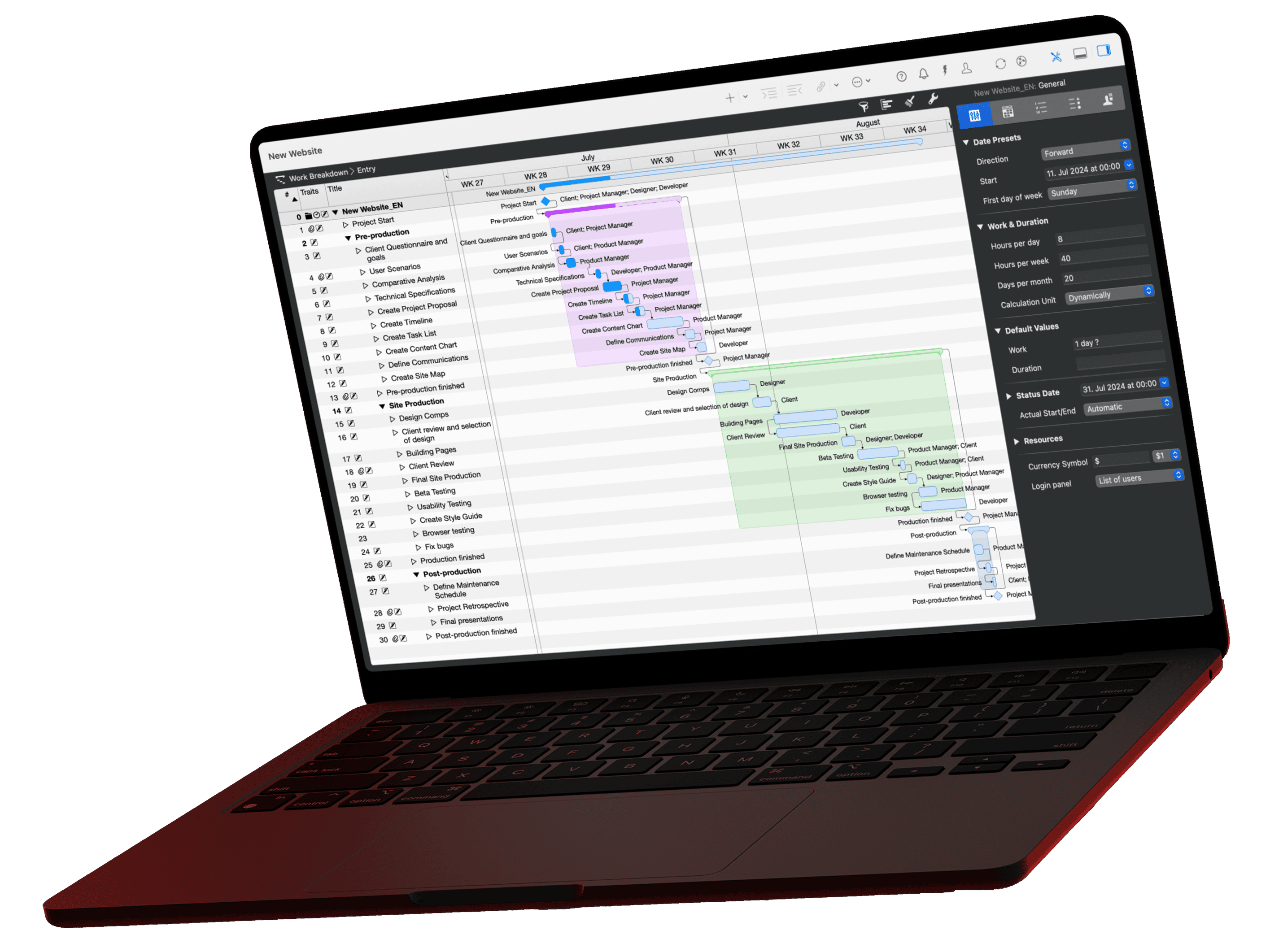
In Merlin Project, the WBS is the Work Breakdown view. Open it with View › Work Breakdown › Entry. Enter sub-tasks and work packages as activities and drag one activity onto another to insert it as a child activity. Groups summarize their activities and calculate their duration automatically. Every activity gets a WBS code based on its position. Set the format under File › Project Settings, tab Codes, then WBS Codes.
To check the same WBS as a tree, use the Net Plan view type (Cmd+2) with the Organizational Chart project view. Despite its name, it shows the activity hierarchy with title and WBS code, not your organization. You spot at a glance whether a work package hangs under the wrong sub-task.

The page Work breakdown structure in Merlin Project shows more features.