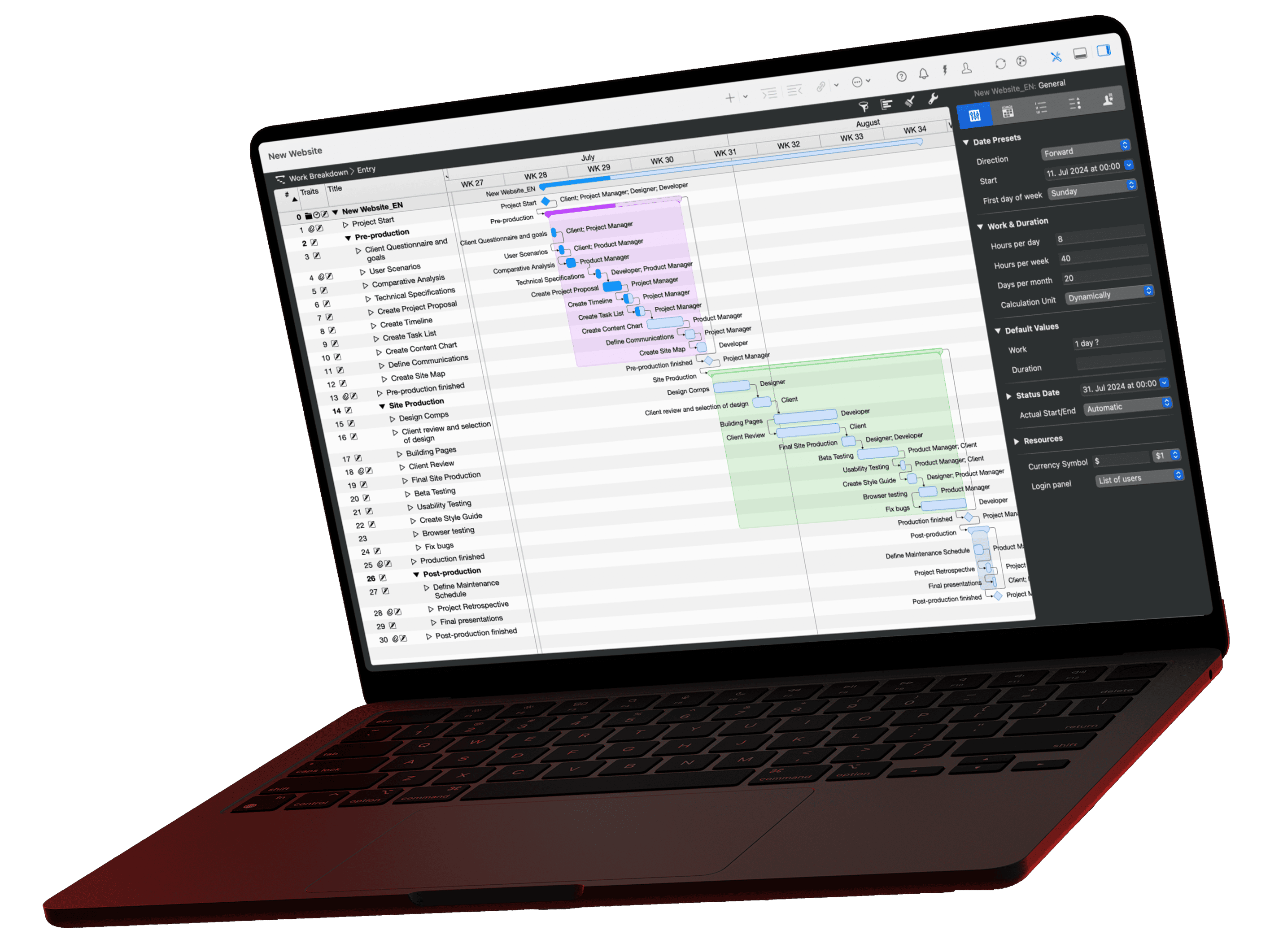
If you need a status report fast, you probably ask an AI. Without project data, though, it only gives general advice. A PDF export looks like the obvious fix, but it brings its own trouble in daily work. This article shows which information an export passes to the AI, what it can miss, and how the Merlin Project MCP server gives the AI direct access to the plan data.
The video for this article
The video (in German) is embedded in the German version of this article.
What happens when the AI does not know your project?
Ask ChatGPT about your own project and you mostly get general recommendations. Ask, for example, how to recover a project delay, and ChatGPT recommends clarifying priorities, informing stakeholders, and checking buffers.
None of that is wrong, but it only gets you so far. Without a view of the actual project plan, the AI does not know which tasks are affected, who works on them, and which milestone comes next.
The obvious route: a PDF export
You can export the project plan with outline and Gantt chart as a PDF and upload it to the chat. The AI then gets a view of your project and can base its answers on the information you provided.

In daily work, however, two problems show up.
Every export is a snapshot
A project plan changes all the time. As soon as you move a task or enter progress, the export is out of date.
If you want to talk to the AI about your project regularly, you have to export and upload a new PDF again and again. That costs time and carries the risk that you work with outdated data.
The export does not contain all the data
The export settings decide which information appears in the PDF.
If, for example, values such as “Requested budget” or “Expected duration” are missing, the AI cannot consider this important information in its analysis, even though Merlin Project knows it internally.
| PDF export | MCP server | |
|---|---|---|
| Which data does the AI see? | Only visible columns | All data in the shared project |
| How does the AI read progress? | As an image from the Gantt chart | As a number from the plan |
| How current is the data? | As of the last export | As of the moment you ask |
| Effort per question | Export, upload, wait | Ask the question |
The route via MCP
MCP stands for Model Context Protocol. This open standard lets an AI communicate with an application. Merlin Project provides its own MCP server for this.
Share your project for access via the “AI Tools” button in the toolbar. A connected AI assistant such as Claude can then read the project data directly from Merlin Project.
In the video, Claude gets the same task as before: “Show me the current delay in the project.”
Instead of general recommendations, Claude now names specific late tasks. You neither export a PDF nor upload a file.
Access to the project data makes the difference: the AI reads the original data directly from Merlin Project.
You can copy the prompt from the video right here:
Prompt
Show me the current delay in the project.How MCP works in detail is explained in the article What is MCP? Explained simply.
The plan stays unchanged
The Merlin Project MCP server only reads. The AI can read and evaluate dates, resources, and tasks, but it cannot make changes to the project plan.
So you can have your project data analyzed without changing the existing plan. That gives you a clear basis for use in your company.
The article MCP and data protection explains which data goes to the AI in the process.
PDF export or MCP
ChatGPT cannot connect to Merlin Project via MCP. If you work with ChatGPT, you export the plan as a PDF and upload it. An AI with an MCP connection, on the other hand, queries the data itself, and only from the projects you have shared for it. Both routes have their strengths:
PDF export or MCP?
Both routes bring your project data to the AI. They differ in how much work you have and what you keep in your own hands.
Route A
PDF export to ChatGPT
You pass on the data by hand
Advantages
- You see exactly which data you give the AI and decide yourself what to leave out.
Disadvantages
- Every step is manual: export, upload, ask.
- For the current status, you export the PDF again every time.
- The AI can misinterpret content from the PDF, such as tables or bar charts.
- The PDF also goes to the AI provider for processing, and in full.
Route B
AI with an MCP connection
The AI queries the data itself
Advantages
- The AI receives only the data it needs for your question.
- It accesses only projects for which you have enabled the option “Allow AI tools to interact with document”.
- It always works with the current status, without an export.
- It reads the values directly from the plan instead of from a document.
Disadvantages
- The queried data goes to the AI provider for processing. Clarify beforehand whether that is permitted for your project.*
With LM Studio and a local language model, the data stays on your Mac. This disadvantage then disappears.
Try it yourself
Open, for example, the “Single-Family Home” project from the templates in Merlin Project. Share it via the “AI Tools” function and then ask the AI questions about the project.

Export your project as a PDF, have the AI analyze it, and ask it the same questions. Compare the answers and watch where they differ from the answers via MCP.
Which AI assistant suits you and how to set it up is shown in the article Which AI client is right for you? The full reference is in the MCP documentation.
If you have any questions about this blog article or would like to discuss it, we look forward to your contribution in our forum.
Frequently asked questions
What is the difference between a PDF export and MCP?
With a PDF export, you pass your project data to the AI by hand: you export the plan, upload the PDF, and ask your questions. Via MCP, the AI queries the data itself directly from Merlin Project, and only the data it needs for your question.
When is the PDF export the better choice?
When you want to see exactly which data you pass on, or when your AI assistant cannot connect via MCP, ChatGPT for example. For a one-off question, the effort is manageable.
When is MCP worth it?
When you ask your plan questions regularly. The AI always works with the current status, and you do not have to export or upload anything. It also reads the values directly from the plan instead of interpreting tables and charts from a document.
Why do the answers differ between PDF and MCP?
In a PDF, the AI first has to read tables, bars, and dependencies out of the layout and can misinterpret them. Via MCP, it receives the values in structured form from the plan. A PDF also shows only the status at the time of the export.
Which projects can the AI read via MCP?
Only projects for which you have enabled the option “Allow AI tools to interact with document” in Merlin Project. All other projects stay invisible to the AI.
Can the AI change my plan via MCP?
No. The Merlin Project MCP server only reads. You still make changes to the plan yourself.
Is the PDF export safer than MCP for data protection?
Not necessarily. In both cases, the data goes to the AI provider for processing. With a PDF, though, it is the whole document; via MCP, only the data your question needs. The advantage of the PDF lies in transparency: you see exactly what you pass on beforehand.
How do my project data stay entirely on my Mac?
Use a local language model, for example with LM Studio, and connect it to Merlin Project via MCP. The AI then processes the data directly on your Mac, and nothing goes to an external provider.