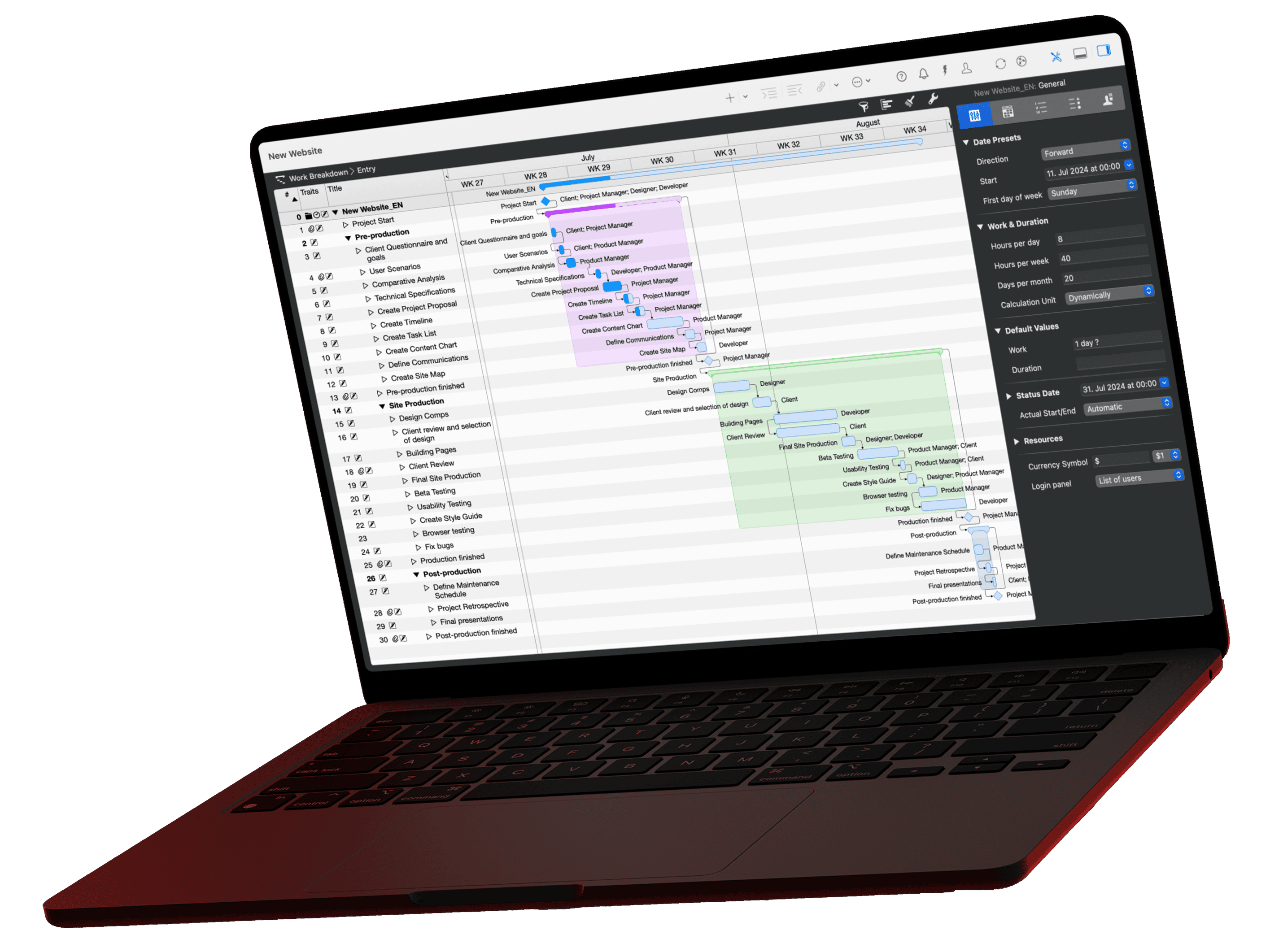
Monday morning, the plan is open, and in the Gantt chart twenty tasks all look equally harmless. One of them will move the end date if it slips this week. Which one is not in the chart: it shows when a task sits, not what it sets off. The answer only emerges once you read critical path, slack and workload together for every line. That is exactly the work Claude takes over through the MCP server in Merlin Project. Here you will find the prompt for the start of the week, the briefing from the sample project, the project instruction that reduces it to a single word from the second week on, and a variant for teams that work in sprints.
The video for this article
What the Gantt chart does not show on Monday
A Gantt chart answers the question "when?". It shows position, duration and progress, and with the status date line it shows where the present sits in the plan. What it does not show is the question that counts on Monday: which of these bars will cost me the end date if it does not hold this week?
That takes three pieces of information, and in Merlin Project they sit in three different places:
- Critical path. The command "Show Critical Path" in the View menu, the "Critical Path" button in the toolbar, colours the tasks that determine the end date red.
- Slack. How long a task may be delayed before the project end is affected is held in the fields "Expected Total Slack" and "Expected Free Slack", which you can show as a column. If they are zero, the task sits on the critical path.
- Workload. Whether the responsible resource is carrying something else in the same week is shown by the utilization in the Resources views.
Each of these is easy to find. The work lies in putting them together for every line of the plan and turning them into a ranking. That is the part a prompt takes over.
The prompt for the start of the week
Prompt
Create a Monday morning briefing for the current project. The status date of the project applies, not today's date. Look at the tasks that are running or starting this week and next week. Name at most five that could become critical, sorted by their effect on the end date. For each task: why it is critical (critical path, missing slack, overloaded resource, late predecessor), the responsible resource, one concrete recommendation for today.Four decisions in this prompt determine the quality of the answer:
- The status date instead of today. More on this below, it is the most common source of error.
- This week and next week. Two weeks are the horizon in which you can still change something on Monday. Everything beyond that belongs in the status report, not in the briefing.
- At most five, sorted by their effect on the end date. A complete list does not help, a ranking does. The upper limit forces Claude to weigh things up instead of listing them.
- Reason, resource, recommendation for each task. The reason makes the assessment checkable, the resource tells you who to talk to, the recommendation turns a situation into an action.
Why the status date belongs in the prompt
Without that line, Claude works with today's date. If you have not reported progress for a few days, a lot then looks overdue that is merely not up to date. Merlin Project keeps the status date of the project for exactly this purpose: the point in time that progress and the plan/actual comparison refer to. If the prompt states that this date applies, Claude calculates delays and upcoming dates from the same point as Merlin.
If you do not maintain the status date, name the reporting date directly: "The reporting date is Monday, 6 July 2026."
The briefing for the sample project
The example is a product launch with five phases, twenty tasks and eight resources, status date Monday, 6 July 2026. Product development is complete except for the last day, and the go-to-market phase is starting. Your answer will be worded differently; the structure stays the same.
Status: status date Monday, 6 July 2026. The tasks considered are those running or starting this week (6 to 12 July) and next week (13 to 19 July). The project is planned to end on 21 July, expected 23 July.
1. Finalize product, today is the last day
Critical path, no slack. The task stands at 83 % and is expected to finish today at 17:00. Every day it takes longer moves the end date by the same day.
Resource: Development.
Today: Clarify with Development whether the remaining 17 % will be done today. If not, decide today what drops out of the scope.2. Landing page & website, starts tomorrow, right behind the bottleneck
Critical path, no slack, predecessor is number 1. Expected 7 to 14 July.
Resource: Development, the same as for number 1.
Today: Prepare the handover so that work can start tomorrow morning without questions.3. Content production, starts on 15 July, without slack
Critical path, no slack. Expected 15 to 21 July.
Resource: Marketing.
Today: Lock down the input so that nothing is waiting for images, texts and approvals on 15 July.4. Set up ad campaigns, starts on the same day as number 3
Critical path, no slack, expected 15 to 20 July. From 15 July, Marketing carries two critical tasks at the same time.
Resource: Marketing.
Today: Agree in the team who gets which days, or bring one of the two forward.5. Press kit & fact sheet, the only one with room
Not on the critical path, 3 days of slack, expected 15 to 20 July.
Resource: PR & communication.
Today: Nothing. It is here only to make clear that this task can wait if one of the entries above it needs help.If you do only one thing today: finish number 1 or decide about it. Everything else on this list hangs on it.
The ranking is the result, not the list
A filter would have found five tasks as well. The difference is in first place and in fifth place.
At the top sits the task that has to be decided today, and the reason is not a date but a chain: number 2 is waiting for number 1, and both depend on the same resource. At the bottom sits the task with three days of slack, explicitly marked as the one that can wait. This ordering is the work that takes longest by hand, because it requires looking at dates, dependencies and assignments at the same time.
Two observations on that. Merlin reports no overloaded resource in this plan, because content production and ad campaigns run as separate assignments. That in practice it is the same team in the same week is in no field, yet it follows from the plan, and Claude says so. And the task with slack does not disappear from the list, it gets its place at the end: that too is information for Monday.
From a question to a routine
A briefing only really pays off once it is built the same way every week. Then you compare Monday with Monday and see whether the list is calming down or whether the same task is at the top for the third time. For that, the prompt does not have to be pasted in again every week; it is enough to store it once as an instruction.
In Claude Desktop you create a project for this, "Monday briefing" for example, and write into the project instructions:
Prompt
Whenever I write "Briefing", create the Monday morning briefing for the project shared in Merlin Project, based on its status date: at most five critical tasks of this week and next week, sorted by their effect on the end date, with reason, resource and recommendation for each. Always the same structure, so that I can compare weeks.From then on, one word is enough in that project:
Prompt
BriefingTwo things still remain your job: Merlin Project has to be running, and the project has to be shared for the AI via "AI Tools". A project instruction cannot open a file, it only shapes the answer.
The variant for teams that work in sprints
If you plan in sprints, you do not need the calendar week but the sprint as the time frame. Merlin Project does not know the sprint as an object of its own, so the prompt has to say how to recognise it. Two ways work:
- As a task group. Create one group per sprint ("Sprint 14") and name it in the prompt. This is the clean way, because the group carries the start, end and progress of the sprint.
- As a date range. Without groups, name the range directly: "The sprint runs from 16 to 27 November."
Prompt
Create the briefing for the current sprint instead of the calendar week. The sprint is the task group "Sprint 14", and the status date of the project applies. Name at most five tasks that put the sprint goal at risk, sorted by their effect on the end of the sprint. For each task: why it is at risk (critical path, missing slack, overloaded resource, late predecessor), the responsible resource, one concrete recommendation for today. At the end, name what has to drop out of the sprint if nothing is added.The last sentence is the real difference from the weekly version. In a classic plan the point is to hold the end date; in a sprint it is to cut the scope: what drops out if nothing is added? If your team works with the Kanban board in Merlin Project, the addition "Name the column each task sits in" pays off. Then you see whether a task is still waiting or has long been in progress.
Two spot checks before you act
The briefing is an assessment, not a measurement. All the figures come from your plan, but Claude calculates with them itself. Two moves are enough to check that:
- Look up first place in the plan. Select the task, check the expected end in the inspector, show the "Expected Total Slack" column and switch on the critical path. If the task is red and the slack is zero, the reasoning holds.
- Look at the status date. Is it on today, or two weeks back? The whole list depends on the status date, and it is the figure that is out of date most often.
If these two points are correct, the rest usually is as well, because everything comes from the same source. And if an assessment looks wrong to you, ask what Claude bases it on. The answer names the fields, and then you know whether the plan or the prompt needs sharpening.
What you need
Merlin Project with the MCP server installed, a project shared via "AI Tools" and a supported client such as Claude Desktop. If you don't use Merlin Project yet: try Merlin Project for free. The article Connecting Merlin Project with Claude shows how to set it up. The server runs locally, only reads and cannot be reached remotely. The sample project Product Launch Phoenix that the video uses is a good place to try it out.
If you have any questions about this blog article or would like to discuss it, we look forward to your contribution in our forum.
Frequently asked questions
Why does Claude call a task critical when Merlin draws it in blue?
In the briefing, “critical” does not mean the same as “on the critical path”. The prompt asks for four reasons: critical path, missing slack, overloaded resource and late predecessor. A task with slack can therefore show up because the resource behind it is carrying two things at once in the same week. Which reason applies is stated in the answer, and that is exactly why the prompt asks for it.
What do I do if my project has no status date?
Then name the reporting date directly in the prompt, for example “The reporting date is Monday, 6 July 2026”. Without either, Claude works with today's date, and everything that has not been reported yet looks overdue.
Can Claude change my plan in the process?
No. The MCP server only reads. Claude can neither move dates nor create tasks nor save anything in your project file. The briefing exists only in the chat.
Does Merlin Project have to be open for this?
Yes. Through the MCP server, Claude reads the documents that are open in Merlin Project and shared for the AI via “AI Tools”. If the project is not shared, Claude answers in general terms instead of from your plan. That also applies in a project with a project instruction: the instruction shapes the answer, but it does not open a file.
Why at most five tasks?
Because the upper limit forces a judgement. Without it you get a complete list of all the tasks of the week, and the sorting stays your work. With it, Claude has to decide what to leave out, and that decision is the value of the briefing. For larger plans you can go to seven, but the ranking should stay.
Does the one-word briefing work in every AI client?
Projects with their own instructions are a Claude feature. Other clients have equivalents, such as custom GPTs, saved system instructions or text snippets. If none of that is available, save the prompt as a text snippet in an app like Hookmark or in the macOS text replacements. Which clients support the Merlin server is listed in the MCP documentation.
Can the briefing arrive automatically at a fixed time?
Yes, if your client supports scheduled tasks. Claude can run a prompt itself at a fixed time, Mondays at 8 am for example. Two conditions remain: Merlin Project has to be running at that moment and the project has to be shared. How that is set up is shown in a separate video on the weekly report.
Why does my answer look different from the briefing here?
The AI words every answer anew, even with the same plan and the same prompt. The structure stays, because the prompt fixes it; the sentences change. If you need a fixed form, store the prompt as a project instruction and name the sections there explicitly.